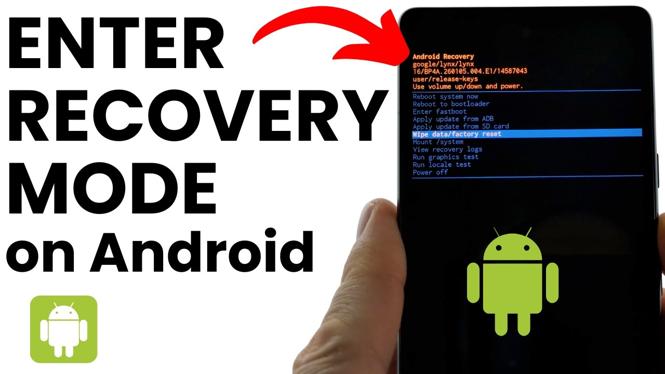
How To Enter Recovery Mode On Android
If you are experiencing issues with your Android device, such as frequent crashes, slow performance, or the need to perform a factory reset, entering Recovery Mode can be a significant first step towards troubleshooting and resolving these problems. Recovery Mode allows you to access various options like performing a factory reset, wiping the cache partition, or running system updates without the need for additional software or a computer.
Why You Might Be Looking for This Tutorial
As Android devices become more advanced, users may encounter various software-related challenges. Understanding how to enter Recovery Mode is essential for anyone looking to maintain their device’s performance or troubleshoot issues. Whether you’re trying to resolve a software glitch, prepare your device for resale, or optimize its performance, knowing how to access Recovery Mode can significantly empower you in managing your device. This tutorial is designed to guide you through the steps, enabling you to gain control over your Android experience.
Steps to Enter Recovery Mode on Android
- Turn off your Android device completely.
- Depending on your device model, you will need to press and hold a combination of buttons. Common combinations include:
- Samsung Devices: Hold the Power + Volume Up + Home buttons simultaneously.
- Google Pixel and Nexus Devices: Hold the Power + Volume Down buttons.
- Other Android Devices: Please refer to your device’s manufacturer instructions for the correct button combination.
- Once you see the device logo, release the buttons. Your device should boot into Recovery Mode.
- Navigate the Recovery Mode menu using the Volume buttons, and select options using the Power button.
- From here, you can choose to wipe the cache partition, perform a factory reset, or access other recovery options as needed.
Video Tutorial
Following this guide will enable you to enter Recovery Mode and take control of your Android device, making it an essential skill for any Android user.
More Android Tips & Tutorials:
 Subscribe Now! 🙂

Discover more from Gauging Gadgets
Subscribe to get the latest posts sent to your email.