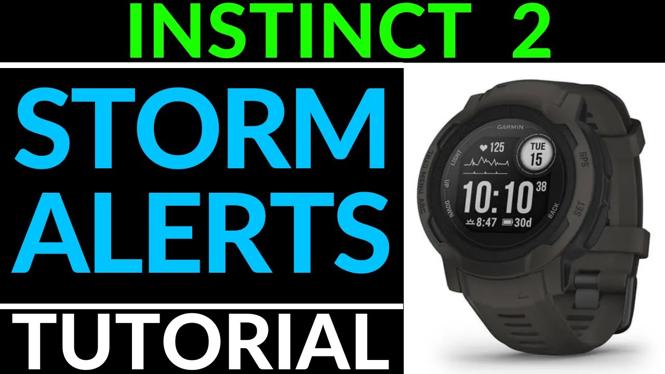
How to turn on or off storm alerts on the Garmin Instinct 2 Solar? In this tutorial, I show you how to setup storms alerts on your Instinct 2 Solar. Storms alerts use the barometer on the Garmin Instinct 2 Solar to give you an early warning on a future storm.
Turn On or Off Storm Alerts on Garmin Instinct 2 Solar(Video Tutorial):
Follow the steps below to turn on or off storm alerts on the Instinct 2 Solar:
- Hold down the Up button to open the Menu.
- Once the menu opens, scroll down and select Sensors & Accessories.
- Select Barometer.
- In Barometer, scroll down and select Storm Alert.
- You can now toggle on or off the status of Storm Alerts on your Garmin Instinct 2 Solar.
More Garmin Instinct 2 Solar Tutorials:
 Subscribe Now! 🙂

How to Turn On or Off Storm Alerts on Garmin Instinct 2 Solar
Navigation Setup and Overview - Garmin Instinct 2 Solar Tutorial
How to Customize Watch Faces - Garmin Instinct 2 Solar Tutorial
Initial Setup - Garmin Instinct 2 Solar Tutorial - Getting Started
System Settings Overview - Garmin Instinct 2 Solar Tutorial
How to Change GPS Position Format - Garmin Instinct 2 Solar Tutorial
How to Reset the Garmin Instinct 2 - Factory Reset
Turn On & Off Heart Rate Monitor on Garmin Instinct 2
Setup & Use Hot Keys on Garmin Instinct 2
Garmin Instinct 2 Solar Review and Unboxing - First Week Impressions
Calibrate the Compass, Altimeter, and Barometer - Garmin Instinct 2 Tutorial
How to Set Alarms - Garmin Instinct 2 Tutorials
How to Install Watch Faces - Garmin Instinct 2 Tutorial
Turn On & Use the Flashlight on Garmin Instinct 2
Discover more from Gauging Gadgets
Subscribe to get the latest posts sent to your email.