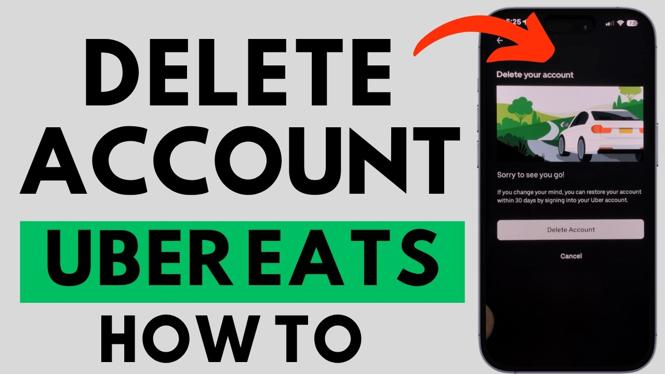
You can delete your Uber account from the Uber app on an iPhone, Android phone, or Samsung phone. The process sends a verification code to your phone, asks for your account password, then starts a 30-day deactivation period before the account is permanently deleted.
These steps remove your Uber account, which is the account used across Uber services, including Uber Eats. Make sure you want to close the account before submitting the deletion request.
Video Tutorial
Delete your Uber account in the app
Start by opening the Uber app and signing in to the account you want to remove. You need access to the phone number connected to that account and your Uber password. Uber uses both during the deletion process.
- Open the Uber app on your iPhone, Android phone, or Samsung phone.
- In the bottom menu, select the person icon. On some versions of the app, this section is labeled Account.
- Scroll to the bottom of the Account page.
- Select Manage Uber Account.
- Select Privacy and Data in the top-right corner.
- Select Privacy Center.
- Scroll to the bottom of the Privacy Center page.
- Under Account Security, select Account Deletion.
- Select Accept to begin the account deletion request.
Verify your identity
Uber needs to confirm that you own the account before it lets you delete it. A four-digit verification code is sent by text message to the phone number associated with your Uber account.
- Check your text messages for the four-digit code from Uber.
- Enter the code in the app.
- Enter your Uber account password when prompted.
- Review the account summary shown in the app.
- Select Continue.
If you do not receive the code, first confirm that you can access the phone number attached to your Uber account. You cannot complete the deletion request without entering the verification code and password shown in this process.
Choose a reason and confirm deletion
After verifying your account, Uber explains what happens next. Your account is deactivated for 30 days first. During this time, the account is not permanently erased yet.
- Select Continue after reading the deactivation information.
- Choose a reason for deleting your account.
- Select Delete Account to confirm the request.
Once you select Delete Account, the 30-day deactivation period begins. Avoid logging back in if you want the deletion to go through.
What the 30-day deactivation period means
Your Uber account is not permanently deleted the moment you submit the request. Uber deactivates it for 30 days. If you log back in during those 30 days, you reactivate the account and stop the permanent deletion.
If you do not reactivate the account by logging in during that period, Uber permanently deletes it after the 30 days end. This applies to the Uber account you use for Uber Eats as well, so consider any services connected to that account before confirming deletion.
Before you delete your Uber account
Check that you have finished anything you need from the account before starting. Once you submit the request, you may lose access while the account is deactivated. You should also make sure you remember that signing back in during the 30-day period cancels the deletion.
The key path in the app is Account, Manage Uber Account, Privacy and Data, Privacy Center, then Account Deletion. From there, verify your phone number and password, select a reason, and confirm with Delete Account.
More Cancel Subscriptions Tips:
 Subscribe Now! 🙂

Discover more from Gauging Gadgets
Subscribe to get the latest posts sent to your email.