How to Appear Offline on Instagram
In our fast-paced digital world, maintaining privacy on social media platforms like Instagram is essential. Many users prefer to browse quietly without broadcasting their online status to friends or followers. Whether you’re looking to take a break from social interactions or simply want to regain control over your activity visibility, knowing how to appear offline is crucial. In this guide, we will walk you through the steps to turn off your activity status on Instagram seamlessly.
Video Tutorial
Watch this helpful video tutorial for a visual guide on how to appear offline on Instagram:
Why You Might Be Looking for This Tutorial
There are several reasons you might want to appear offline on Instagram:
- You want to browse Instagram without feeling pressured to respond to messages.
- You wish to limit your visibility during specific times.
- You want to maintain your privacy while using the app.
- You prefer a more low-key social media presence.
Steps to Appear Offline on Instagram
Follow these simple steps to disable your activity status on Instagram:
- Open the Instagram app on your mobile device.
- Tap on your profile icon in the bottom right corner of the screen.
- Access the menu by tapping on the three horizontal lines in the top right corner.
- Select ‘Settings’ from the menu that appears.
- In the Settings menu, tap on ‘Privacy’.
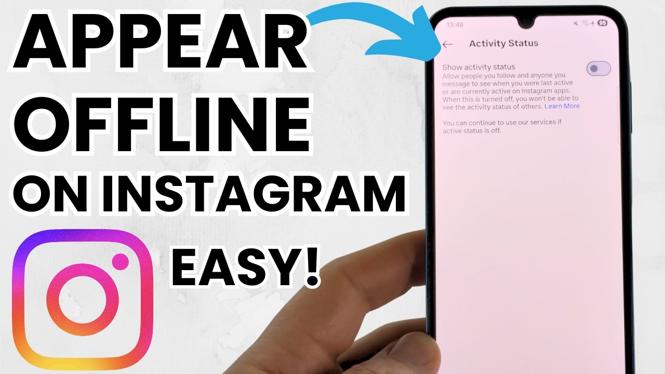
- Scroll down to find ‘Activity Status’.
- Toggle the switch off for ‘Show Activity Status’.
Once you’ve followed these steps, your activity status will no longer be visible to others. You can enjoy using Instagram with the peace of mind that your online activity is private.
Conclusion
By following this tutorial, you can easily manage your visibility on Instagram and enjoy a more private browsing experience. Don’t forget that you can always revert these settings whenever you choose to become active again. Embrace your privacy and feel free to explore Instagram on your terms!
More Instagram Tutorials:
 Subscribe Now! 🙂

Discover more from Gauging Gadgets
Subscribe to get the latest posts sent to your email.