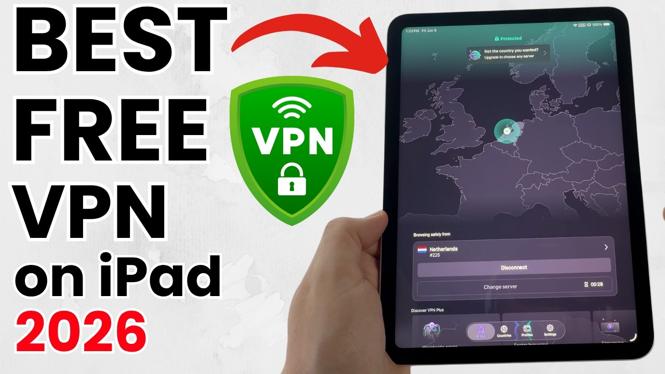
Best FREE VPN for iPad
In today’s digital world, privacy and security are paramount, especially when using public Wi-Fi on your iPad. A Virtual Private Network (VPN) provides a secure connection to the internet, allowing you to browse safely, access geo-blocked content, and protect your personal data from prying eyes. This tutorial provides a comprehensive guide on finding and setting up the best free VPNs for your iPad in 2026.
Video Tutorial
Why You Might Be Looking for This Tutorial
As more individuals rely on mobile devices for streaming content, accessing social media, and performing online transactions, the need for a reliable VPN increases. Here are a few reasons why you might be seeking a free VPN for your iPad:
- Cost-Effective Solution: Many VPNs come with steep monthly fees, but free options can provide the necessary features without straining your budget.
- Privacy Concerns: Public Wi-Fi networks pose risks, making it essential to protect your personal information from potential threats.
- Streaming Content: Access geo-restricted content and enjoy your favorite shows and movies from various platforms.
- User-Friendly Setup: Find out how easy it is to set up a VPN on your iPad, even if you’re not technologically inclined.
Steps to Get and Set Up a Free VPN on Your iPad
Follow these steps to download and configure a free VPN to enhance your online security on your iPad:
Step 1: Choose a Reputable Free VPN
Search for the best-reviewed and reliable free VPN options compatible with iPads. Some of the most recommended free VPNs include:
- ProtonVPN
- Windscribe
- Hotspot Shield
Step 2: Download the VPN App
Go to the App Store on your iPad, search for your chosen VPN, and download the app. Ensure you’re downloading the official version to avoid security risks.
Step 3: Create an Account
Open the app and follow the prompts to create a free account. Most free VPNs will require you to sign up, and you may receive a confirmation email.
Step 4: Configure the VPN Settings
Once your account is created, configure the VPN settings according to your preferences. You may select a server location based on your needs for speed or to access specific content.
Step 5: Connect to the VPN
After configuration, tap the ‘Connect’ button within the app to establish a secure connection. You should see an indicator on your device signaling that your VPN is active.
Step 6: Start Browsing Safely
With the VPN connected, you can now enjoy safer browsing, streaming, and online activities without worrying about your privacy.
Conclusion
Using a free VPN on your iPad is an excellent choice for enhancing your online security and accessing content without borders. By following the steps outlined in this tutorial, you’ll be equipped to choose, download, and set up a reliable VPN that meets your needs. Don’t compromise on your privacy—take control of your online security today.
More iPad Tips & Tutorials:
 Subscribe Now! 🙂

Discover more from Gauging Gadgets
Subscribe to get the latest posts sent to your email.