How to Turn Off Facebook Video Autoplay
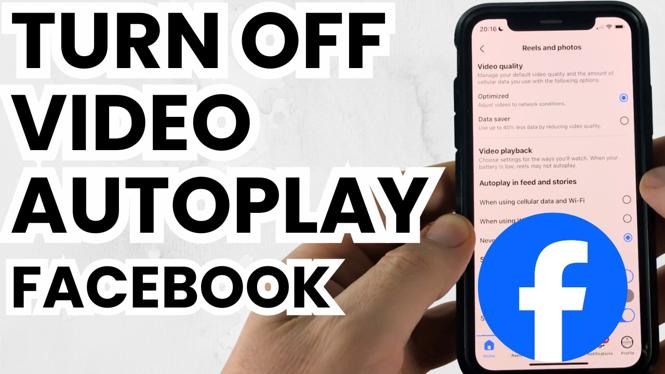
Are you tired of videos automatically playing in your Facebook feed? Whether you’re scrolling through your friends’ posts or browsing groups, those unexpected video autoplaying can be annoying and distracting. This tutorial will guide you through the steps to disable video autoplay on your iPhone, Samsung Galaxy, or any Android device in 2026. Not only will this improve your browsing experience, but it will also help you conserve mobile data and extend your battery life.
Video Tutorial
Why You Might Be Looking for This Tutorial
Many users find that Facebook’s video autoplay feature can lead to unintended data usage, especially if you are on a limited data plan. Additionally, videos that start playing automatically can disrupt your reading flow and result in a less enjoyable user experience. By turning off video autoplay, you can have greater control over what content you engage with on Facebook, allowing you to browse without distractions.
Steps to Turn Off Facebook Video Autoplay
For iPhone Users:
- Open the Facebook app on your iPhone.
- Tap the three horizontal lines in the bottom right corner to access the menu.
- Scroll down to Settings & Privacy and tap on it.
- Next, tap on Settings.
- Scroll down to the Media and Contacts section.
- Tap on Autoplay.
- Select Never Autoplay Videos from the options provided.
For Samsung and Android Users:
- Open the Facebook app on your Samsung or Android device.
- Tap on the three horizontal lines in the top right corner to open the menu.
- Scroll down and select Settings & Privacy, then tap Settings.
- Locate the Media and Contacts section.
- Tap on Autoplay.
- Choose the option Never Autoplay Videos.
Conclusion
Disabling video autoplay on Facebook is a quick and easy process that can significantly enhance your social media experience. By following the simple steps outlined in this tutorial, you will gain more control over the content you see, reduce data usage, and help preserve your device’s battery life. Now you can browse Facebook at your own pace, uninterrupted by those autoplaying videos.
More Facebook Tips & Tutorials:
 Subscribe Now! 🙂

Discover more from Gauging Gadgets
Subscribe to get the latest posts sent to your email.