How to Find Downloads on Android
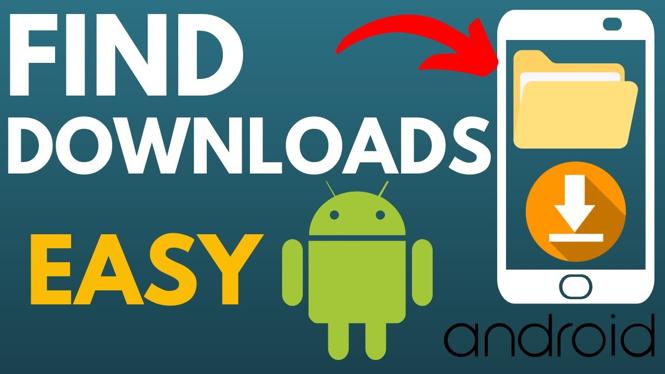
Finding downloaded files on your Android device can sometimes feel daunting, especially for new users or those who are not tech-savvy. However, knowing how to locate these files is essential for accessing documents, images, or any other type of content you have downloaded. In this article, we will guide you through the steps to find your downloads on an Android phone or tablet. Whether you’re looking for a PDF, a picture, a zip file, or an APK, we’ve got you covered.
Video Tutorial
Why You Might Be Looking for This Tutorial
There are several reasons why someone might need to find downloads on their Android device:
- You may have downloaded important documents and need to access them.
- You might want to organize your files to free up space on your device.
- You could be troubleshooting an app and need to locate an APK file.
- You want to share downloaded images or files with friends or family.
Step-by-Step Guide to Find Downloads on Android
Step 1: Open the Files App
Begin by locating and opening the ‘Files’ app on your Android device. This app may also be titled ‘My Files’ or ‘File Manager,’ depending on your device’s manufacturer.
Step 2: Navigate to Downloads
Once the Files app is open, look for a category labeled ‘Downloads.’ This is typically found in the main menu or under the storage section of the app. Tap on this option to access all your downloaded files.
Step 3: Browse Your Downloads
In the Downloads folder, you will see a list of files you have downloaded. The files may be sorted by name, date, or type. You can scroll through the list to find the specific file you are looking for.
Step 4: Open or Share Your Downloaded Files
After locating the file, you can tap on it to open it directly. If you wish to share it, long-press on the file until the sharing options appear. From there, you can choose how you want to share it, whether via email, messaging apps, or other options.
Step 5: Using Search Functionality (if applicable)
If you have a large number of downloads, you may want to utilize the search function within the Files app. Type the name of the file or its type (e.g., PDF, image) into the search bar to quickly locate it.
Conclusion
Knowing how to find downloads on your Android device is an essential skill that can enhance your experience and efficiency with your device. With these simple steps, you can easily access any downloaded files, helping you manage your content better. If you have any questions or run into issues while trying to find your downloads, feel free to leave a comment or check out the video tutorial above for further assistance.
More Android Tips & Tutorials:
 Subscribe Now! 🙂

Discover more from Gauging Gadgets
Subscribe to get the latest posts sent to your email.