Gauging Gadgets

  • Home
  • Gadget Reviews
    • Automotive Accessories
    • Bluetooth Devices
    • Cameras & Accessories
    • Cellphones and Accessories
    • Computers & Accessories
    • Drones & Quadcopters
    • Gaming Headsets
    • Headphones
    • Household
    • Lights
      • Camping Light
      • Flashlights
    • Power Banks
    • Routers and Modems
    • Smart Home
    • Smartwatch
      • Garmin
    • Solar
    • Tools
    • Wireless Speakers
  • Tech Tutorials
    • Android
    • Content Creators
      • Hitfilm
      • Instagram
      • Mixer
      • OBS Studio
      • Twitch
      • YouTube
    • DIY
    • Firefox
    • Garmin
      • Fenix 6
      • Forerunner 245
      • Forerunner 45
      • Forerunner 645
      • Garmin Instinct
      • Venu
      • Vivoactive 3
      • Vivoactive 4
    • Gadget Tutorials
      • Garmin
        • Fenix 6
        • Forerunner 45
        • Forerunner 245
        • Forerunner 645
        • Garmin Instinct
        • Venu
        • Vivoactive 3
        • Vivoactive 4
      • Google Home
      • Google Chromebook
      • Xbox One
    • Google
      • Google Chrome
      • Google Chromebook
      • Google Drive
      • Google Home
      • Google Maps
    • Internet
    • iPhone
    • Kindle
    • Live Streaming Platforms
      • Twitch
      • OBS Studio
      • Mixer
    • Netflix
    • Voice Assistants
    • Social Media
      • Instagram
      • Reddit
      • LinkedIn
      • YouTube
    • Spotify
    • Windows 10
    • Xbox One
    • YouTube
  • My YouTube Setup!
Menu
Expand search form

Android, Tech Tutorials

How to Speed Up Any Android Phone By Disabling Animations
December 31, 2016 No Comments

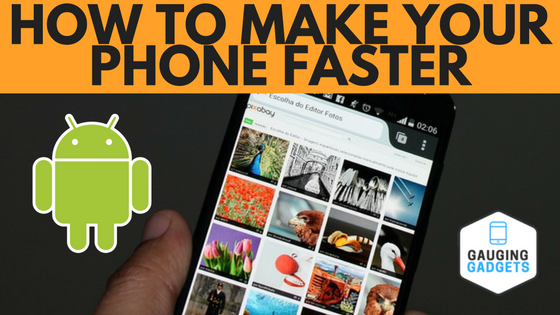
Looking to speed up your phone? In this video tutorial, I show you how to change a simple setting in the developer options menu of your Android phone to make your phone faster. Video Tutorial: While using your Android smartphone you’ll notice a lot of […]

Continue Reading

Android, Tech Tutorials

How To Enable Third Party App Installing On Android

December 29, 2016 No Comments
Third Party Android Apps

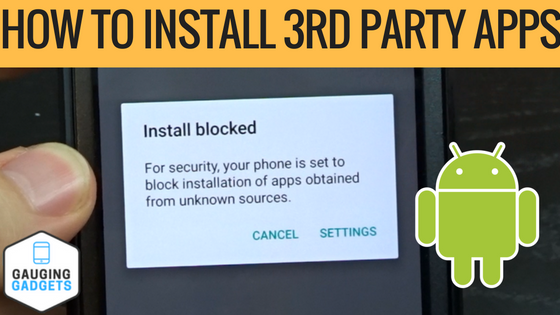
Video Tutorial: Trying to install a third party app, game, or downloaded APK on your Android smartphone? In this video tutorial I show you how to change the set tings on your Android phone enable the ability to install third party apps like Amazon Underground […]

Continue Reading

Android, Internet, Tech Tutorials

How To Help Cure Cancer With Your Smartphone

December 25, 2016 No Comments

Cancer in any form is a horrible disease that affects millions every year. In this tutorial I show you how you can help cure cancer with just your cellphone via the Folding@home. Video Tutorial: What is Folding@home? Folding@Home is a distributed computing project, which means the […]

Continue Reading

Android, Tech Tutorials

How To Remove/Disable Bloatware From Your Android Phone or Tablet

October 12, 2016 No Comments

Is your Android phone low of storage space? In this Android tutorial, I show you how to uninstall or disable bloatware installed by your phones manufacturer or cell carrier. What is Bloatware? Bloatware is any unwanted software included on a new computer or mobile device […]

Continue Reading

Android, Tech Tutorials

How To Enable And Disable Developers Options in Android

September 25, 2016 1 Comment
android developer options

Looking to gain more control of your Android phone / Tablet and enable the Developer Options? In this video I not only show you how to enable and show the developer settings, I also show you how to disable and hide them as well. Gaining […]

Continue Reading

Android, Google, Tech Tutorials

How To Get Free Google Play Store Credit

September 22, 2016 No Comments

Want free Google Play Store credit? No need for gift cards or coupon codes. Check out the Google Opinion Rewards app and earn free Google Play money to spend on apps, games, movies, TV shows, books, and music! In this Google Opinion Rewards tutorials I […]

Continue Reading
« Previous 1 … 4 5 6

Subscribe via Email

Enter your email address to subscribe to this blog and receive notifications of new posts by email.

Join 59 other subscribers

Recent Post

  • October 30, 2026

    How To Reset Keyboard Settings On Android

  • October 27, 2026

    How To Transfer Instagram Account From One Phone To Another

  • October 27, 2026

    How to Sign Out of Netflix App on any TV

  • October 26, 2026

    How To Show & Display FPS on NVIDIA App

  • October 26, 2026

    How to Convert PDF File to Photo on iPhone

More Tech Tutorials

  • November 27, 2025

    How to Use Live Translation with AirPods Pro 2

  • September 26, 2026

    How to Turn OFF Auto Dubbing on YouTube Videos

  • September 2, 2023

    How to Add Overlay in CapCut PC & Laptop

  • December 17, 2023

    How to Turn Off Restricted Mode on iPhone

  • March 5, 2023

    How to Get Donation Sign in Pls Donate

  • September 3, 2026

    How to Change the Display Refresh Rate on iPhone

  • August 19, 2019
    Battery Saving Tips Garmin Instinct Tutorial

    5 Tips to Increase Battery Life – Garmin Instinct Tutorial

  • June 9, 2023

    How to Log Out of Gmail on iPhone

  • April 17, 2026

    How to Deactivate TikTok Account

Privacy Policy

FTC: This page contains affiliate links. As an Amazon Associate I earn from qualifying purchases. All reviews are 100% honest and are not influenced to promote sales. Thank you for visiting and I hope you found it useful!

International Amazon Links:

  • Australia
  • UK
  • Canada
  • Spain
  • Mexico
  • Italy
  • France
  • Germany
  • USA
  • Opt-out preferences
  • Imprint
  • Disclaimer
  • Privacy Policy

Gauging Gadgets

Gadget Reviews & Tech Tutorials

Close Menu
    Manage your privacy

    We use cookies to improve your experience. Accepting them lets us process data like browsing behavior. You can withdraw consent anytime, but some features may not work properly.

    Functional Always active
    The technical storage or access is strictly necessary for the legitimate purpose of enabling the use of a specific service explicitly requested by the subscriber or user, or for the sole purpose of carrying out the transmission of a communication over an electronic communications network.
    Preferences
    The technical storage or access is necessary for the legitimate purpose of storing preferences that are not requested by the subscriber or user.
    Statistics
    The technical storage or access that is used exclusively for statistical purposes. The technical storage or access that is used exclusively for anonymous statistical purposes. Without a subpoena, voluntary compliance on the part of your Internet Service Provider, or additional records from a third party, information stored or retrieved for this purpose alone cannot usually be used to identify you.
    Marketing
    The technical storage or access is required to create user profiles to send advertising, or to track the user on a website or across several websites for similar marketing purposes.
    Statistics

    Marketing

    Features
    Always active

    Special features

    Special purposes
    Always active

    • Manage options
    • Manage services
    • Manage {vendor_count} vendors
    • Read more about these purposes
    Manage options
    • {title}
    • {title}
    • {title}
    Manage your privacy

    To provide the best experiences, we and our partners use technologies like cookies to store and/or access device information. Consenting to these technologies will allow us and our partners to process personal data such as browsing behavior or unique IDs on this site and show (non-) personalized ads. Not consenting or withdrawing consent, may adversely affect certain features and functions.

    Click below to consent to the above or make granular choices. Your choices will be applied to this site only. You can change your settings at any time, including withdrawing your consent, by using the toggles on the Cookie Policy, or by clicking on the manage consent button at the bottom of the screen.

    Functional Always active
    The technical storage or access is strictly necessary for the legitimate purpose of enabling the use of a specific service explicitly requested by the subscriber or user, or for the sole purpose of carrying out the transmission of a communication over an electronic communications network.
    Preferences
    The technical storage or access is necessary for the legitimate purpose of storing preferences that are not requested by the subscriber or user.
    Statistics
    The technical storage or access that is used exclusively for statistical purposes. The technical storage or access that is used exclusively for anonymous statistical purposes. Without a subpoena, voluntary compliance on the part of your Internet Service Provider, or additional records from a third party, information stored or retrieved for this purpose alone cannot usually be used to identify you.
    Marketing
    The technical storage or access is required to create user profiles to send advertising, or to track the user on a website or across several websites for similar marketing purposes.
    Statistics

    Marketing

    Features
    Always active

    Special features

    Special purposes
    Always active

    • Manage options
    • Manage services
    • Manage {vendor_count} vendors
    • Read more about these purposes
    Manage options
    • {title}
    • {title}
    • {title}