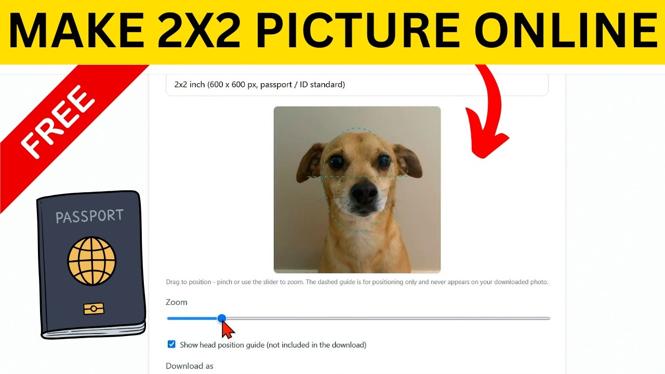
How to Make 2×2 Picture Online
Creating a 2×2 picture online is a straightforward process, especially with the right tools at your disposal. Whether you need a photo for a passport, job application, or any official document, being able to resize and format your image correctly is crucial. In this blog post, we will guide you through the steps on how to make a 2×2 picture online for free using ConvertResize, a user-friendly photo converter that simplifies the resizing process. This tutorial aims to make your experience seamless and efficient, allowing you to create the perfect ID picture directly from your browser without the need for any downloads.
Video Tutorial
Why You Might Be Looking for This Tutorial
Many individuals need to prepare a 2×2 photo for various purposes, such as applying for a passport, visa, or job. Finding a service that can resize images accurately while maintaining quality can be challenging. Additionally, some prefer online solutions that do not require installation of software, making ConvertResize an excellent choice. By following this tutorial, you will save time and ensure your photo meets the required dimensions effortlessly.
Step-by-Step Guide to Creating a 2×2 Picture Online
Step 1: Access ConvertResize
Open your web browser and navigate to the ConvertResize website. This site offers a variety of image conversion and resizing tools, which makes it perfect for creating your 2×2 picture.
Step 2: Upload Your Image
Locate the upload button on the site. Click on it and select the image you would like to convert into a 2×2 photo. Ensure that the original image is of high quality to achieve the best results.
Step 3: Select the 2×2 Dimension
Once your image is uploaded, you will need to enter the desired dimensions. For a standard ID picture, input 2 inches by 2 inches (or 600×600 pixels for digital formats). This ensures your photo adheres to the standard requirements.
Step 4: Adjust the Cropping (if necessary)
If your uploaded image does not fit the 2×2 dimensions perfectly, you may need to crop it. Use the crop tool provided by ConvertResize to adjust the frame so that it includes the necessary area of your image.
Step 5: Download Your 2×2 Picture
After adjusting the dimensions and cropping (if needed), simply click the download button to save your resized 2×2 picture to your device. Ensure you choose a suitable file format, typically JPEG or PNG, for your specific needs.
Conclusion
Creating a 2×2 picture online with ConvertResize is quick and efficient. With this guide, you now have the tools necessary to produce professional-quality ID pictures suitable for various applications. This online solution not only saves you time but also provides a convenient way to meet your photo requirements without any hassle. Start using ConvertResize today and streamline your photo preparation process!
More ConvertResize Tips & Tutorials:
 Subscribe Now! 🙂

Discover more from Gauging Gadgets
Subscribe to get the latest posts sent to your email.