How to Turn Off Stolen Device Protection on iPhone
In today’s digital age, security features like Stolen Device Protection are essential for safeguarding our devices and personal information. However, there may come a time when you want to disable this feature on your iPhone. Perhaps you have sold your device, or you simply want to regain full control over your settings. Regardless of your reason, this tutorial provides a step-by-step guide on turning off the Stolen Device Protection feature on your iPhone, ensuring you can manage your device exactly how you want.
Video Tutorial
Why You Might Be Looking for This Tutorial
Turning off Stolen Device Protection may be necessary for various reasons. For starters, if you’ve recently purchased a second-hand iPhone and want to reset it to your preferences, disabling this feature is an essential step. Additionally, if you are planning to sell or give away your device, it is vital to ensure that all security layers are appropriately adjusted. Moreover, understanding how to manage your security settings offers peace of mind, giving you total control over how your iPhone operates. This tutorial equips you with the knowledge to navigate these settings with ease.
Steps to Turn Off Stolen Device Protection on iPhone
- Open the Settings App: Locate the Settings app on your iPhone’s home screen and tap to open it.
- Navigate to Face ID & Passcode: Scroll down the menu and select the option for Face ID & Passcode. You may need to enter your current passcode to access these settings.
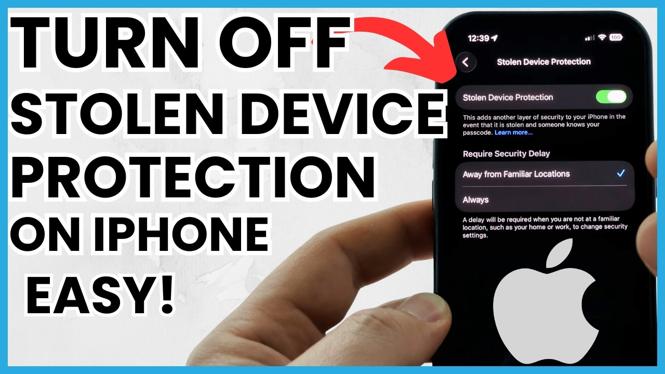
- Locate Stolen Device Protection: In the Face ID & Passcode menu, look for the Stolen Device Protection feature. It may be listed among other security settings.
- Disable Stolen Device Protection: Once you find the Stolen Device Protection option, toggle the switch to turn it off. Confirm your choice if prompted.
- Restart Your Device: It’s advisable to restart your iPhone to ensure that the changes take effect properly.
Conclusion
Disabling Stolen Device Protection on your iPhone is a straightforward process that allows you to take full control of your device’s security settings. By following the steps outlined in this tutorial, you’ll ensure that your preferences are accurately set, whether you’re preparing to sell your device or simply wish to modify its security measures. Always remember that adjusting security settings can have implications for your device’s safety, so proceed with care and awareness.
More iPhone Tips & Tutorials:
 Subscribe Now! 🙂

Discover more from Gauging Gadgets
Subscribe to get the latest posts sent to your email.