How to See Reels History on Facebook
Facebook Reels have become an essential part of the platform for many users, allowing them to discover and share engaging video content easily. However, with so many Reels being posted every day, it can be challenging to remember which ones you’ve enjoyed or want to revisit later. Fortunately, in 2026, Facebook introduced a straightforward way to access your Reels history. This tutorial will guide you through the steps to find and view your recently watched Reels on Facebook without needing any extra tools or apps.
Video Tutorial
Why You Might Be Looking for This Tutorial
There are several reasons why you might be looking for a way to see your Reels history on Facebook. Perhaps you came across a funny or inspiring Reel but did not save it before moving on to the next video. Maybe you’re seeking motivation for your own content creation and want to revisit those Reels that stood out to you. Regardless of your reason, being able to access your Reels history makes it easy to curate your favorite videos, allowing you to explore and engage with content that resonates with you without losing track.
Steps to See Your Reels History on Facebook
- Open the Facebook App or Website: Start by launching the Facebook app on your mobile device or navigating to the official Facebook website on your computer.
- Log into Your Account: Ensure you are logged into the account where you wish to view your Reels history.
- Navigate to the Reels Section: Locate the Reels icon, which is typically found at the top of the app or within the menu options on the website.
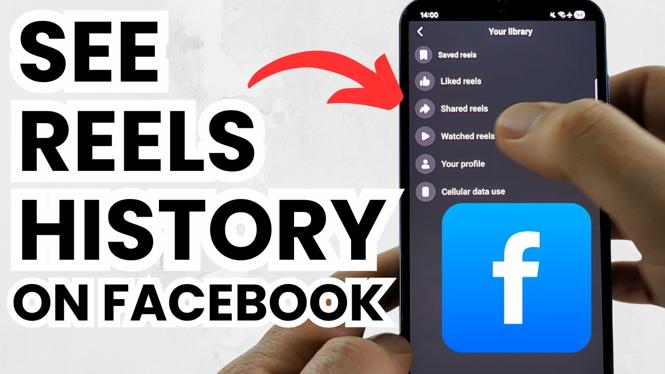
- Access Your History: Look for an option that states ‘History’ or ‘Recently Watched’ within the Reels section. This will show you a complete list of all the Reels you have previously viewed.
- Select a Reel: Browse through your recently watched Reels and click on any video you want to revisit. This will allow you to watch the Reel again or share it with friends.
By following these simple steps, you can easily track and enjoy your favorite Reels, ensuring that you never miss out on the content that made you smile or inspired you. Happy viewing!
More Facebook Tips & Tutorials:
 Subscribe Now! 🙂

Discover more from Gauging Gadgets
Subscribe to get the latest posts sent to your email.