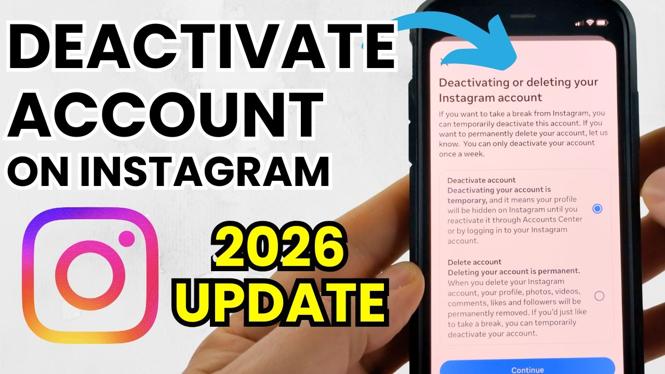
How to Temporarily Deactivate Your Instagram Account
In today’s fast-paced digital world, social media can often feel overwhelming. Whether it’s due to stress, a need for privacy, or just a desire to disconnect for a while, many users find themselves looking for ways to take a break from Instagram without permanently deleting their accounts. Luckily, Instagram allows you to temporarily deactivate your account, which hides your profile, photos, and comments until you’re ready to return. This guide will walk you through the simple steps needed to deactivate your Instagram account for a set period.
Video Tutorial
Why You Might Be Looking for This Tutorial
Taking a break from social media is essential for maintaining mental health and well-being. There are various reasons you might want to deactivate your Instagram account temporarily:
- Digital Detox: A break from social media can help reduce anxiety and help you focus on real-life interactions.
- Privacy Control: You may want to limit your online presence while dealing with personal matters.
- Reevaluation: Sometimes, stepping away allows you to re-evaluate how you use the app and whether it’s adding value to your life.
Steps to Temporarily Deactivate Your Instagram Account
- Login to Your Account: Open the Instagram app or website and log in to the account you wish to deactivate.
- Access Your Profile: Click on your profile icon located at the bottom right corner of the screen (on mobile) or at the top right (on desktop).
- Go to Settings: Tap on the gear icon (settings) to open your account settings.
- Select ‘Edit Profile’: Once in settings, look for and select the ‘Edit Profile’ option.
- Temporarily Disable Account: Scroll down to find the option that says ‘Temporarily disable my account.’ Click on it.
- Choose a Reason: You will be prompted to select a reason for deactivation. Please choose one from the dropdown menu.
- Re-enter Your Password: To confirm the action, you will need to enter your account password again.
- Confirm Deactivation: Click on the button to confirm that you wish to deactivate your account temporarily.
Reactivate Your Instagram Account
When you are ready to return to Instagram, simply log back into your account using your username and password. Your profile and all your content will be restored as if you never left.
Taking the plunge and deactivating your Instagram account temporarily can lead to a more balanced approach to social media use. By following these straightforward steps, you can easily take a break whenever you need it without the fear of losing any of your content.
More Instagram Tutorials:
 Subscribe Now! 🙂

Discover more from Gauging Gadgets
Subscribe to get the latest posts sent to your email.