How to Factory Reset iPhone to Sell
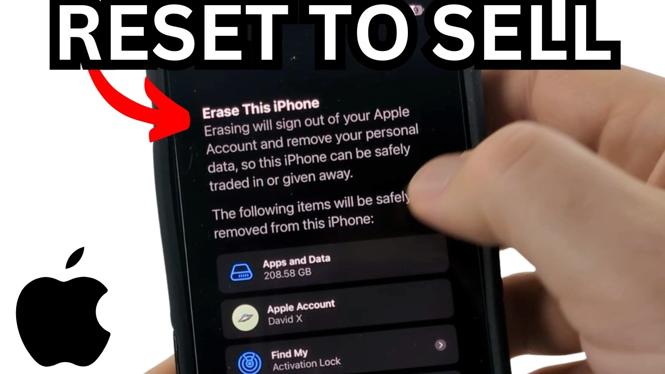
If you’re planning to sell or trade in your iPhone, performing a factory reset is essential to ensure your personal data is removed and the device is ready for its new owner. This process not only protects your privacy but also can enhance the value of the iPhone, as potential buyers often look for devices that are free of personal information and ready to use. In this blog post, we’ll guide you through the steps to factory reset your iPhone, remove it from your Apple account, and how to backup your important data to iCloud.
Video Tutorial
Why You Might Be Looking for This Tutorial
As technology continues to evolve, how we manage our devices and protect our data has become increasingly important. When selling your iPhone, it’s crucial to take the right steps to ensure all personal information is erased. This not only provides peace of mind but also helps in maximizing the resale value of your phone. This tutorial is designed for individuals looking to:
- Safely wipe their iPhone to protect personal information.
- Prepare the phone for selling or trading in.
- Learn how to back up important data securely.
- Understand how to unlink the device from their Apple account.
Steps to Factory Reset Your iPhone
Here are the steps you should follow to factory reset your iPhone safely:
Step 1: Backup Your iPhone to iCloud
Before you erase your iPhone, it’s vital to back up your data. Here’s how to do it:
- Connect your iPhone to a Wi-Fi network.
- Go to Settings and tap on your name at the top.
- Select iCloud, then tap on iCloud Backup.
- Tap Back Up Now to create a backup.
Step 2: Sign Out of Your Apple Account
Next, you need to sign out of your Apple account to unlink your iPhone:
- Go to Settings.
- Tap on your name, then scroll down and select Sign Out.
- Enter your Apple ID password and tap Turn Off.
- Select the data you want to keep a copy of on your iPhone, if any, then tap Sign Out again to confirm.
Step 3: Erase All Content and Settings
Now you are ready to reset your iPhone:
- Go to Settings > General.
- Scroll down and tap on Transfer or Reset iPhone.
- Select Erase All Content and Settings.
- Confirm your action, and wait for the device to erase all information.
Conclusion
Factory resetting your iPhone before selling is a straightforward process that ensures your data is secure and prepares the device for its new owner. By following these simple steps, you can rest assured that your iPhone is wiped clean and ready for a fresh start. If you run into any issues or have questions, refer to the detailed video tutorial for visual guidance.
More iPhone Tips & Tutorials:
 Subscribe Now! 🙂

Discover more from Gauging Gadgets
Subscribe to get the latest posts sent to your email.