How to Speed Up a Video on iPhone
Are you looking to make your videos more engaging by speeding them up on your iPhone? Whether for social media, a personal project, or simply to improve the flow of your content, learning how to increase the playback speed of your videos can transform your editing process. In this blog post, we will guide you through the simple steps to speed up a video using the popular iMovie app on your iPhone.
Video Tutorial
Why You Might Be Looking for This Tutorial
There are several reasons why you might want to speed up a video on your iPhone. Perhaps you want to highlight a specific event or moment in a longer video, reduce the overall length for sharing, or simply create a more dynamic viewing experience. The iMovie app makes it easy to edit videos quickly and effectively right from your mobile device, which is ideal for busy creators on the go. Whether you are a seasoned video editor or a beginner, mastering this technique can greatly enhance your video editing skills.
Steps to Speed Up a Video on iPhone Using iMovie
- Open iMovie: Launch the iMovie app on your iPhone. If you don’t have it installed, you can download it for free from the App Store.
- Create a New Project: Tap the “+” icon to create a new project. Select “Movie” and then choose the video you want to edit from your library.
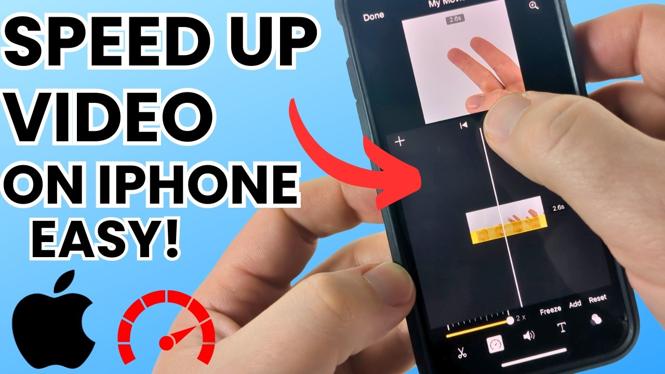
- Access the Speed Control: Once your video is loaded into the timeline, tap on the video clip. At the bottom of the screen, you will see a speedometer icon. Tap it to access the speed control options.
- Adjust the Speed: Drag the slider to the right to increase the playback speed. You can set the speed to any value up to 2 times the normal rate.
- Preview Your Changes: After adjusting the speed, tap the play button to preview your changes and see how they enhance your video.
- Finalize and Export: Once you are satisfied with the adjustments, tap “Done” to finish editing. Save your video by tapping the share icon and selecting your desired export option.
Conclusion
Speeding up videos on your iPhone using iMovie is a straightforward process that can bring a new level of dynamism to your projects. With just a few clicks, you can edit your videos for a more engaging viewer experience. Now that you know how to do it, give it a try and see how much faster you can make your content! If you have any questions or need additional help, feel free to leave a comment.
More iPhone Tips & Tutorials:
 Subscribe Now! 🙂

Discover more from Gauging Gadgets
Subscribe to get the latest posts sent to your email.