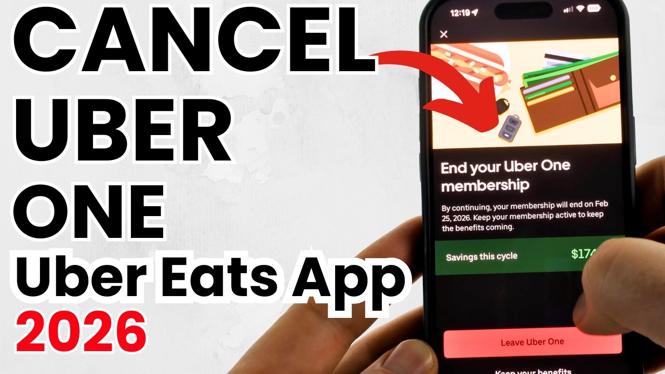
How to Cancel Uber One Subscription in Uber Eats App
Many users enjoy the benefits of the Uber One subscription, which offers perks like free delivery and discounts on Uber Eats. However, there may come a time when you decide that the subscription no longer fits your needs or budget. If you’re looking to cancel your Uber One subscription through the Uber Eats app, you’ve come to the right place. This tutorial will guide you through the simple steps to ensure your cancellation is completed seamlessly, allowing you to stop any future charges without hassle.
Video Tutorial
Why You Might Be Looking for This Tutorial
There are several reasons why someone might want to cancel their Uber One subscription. Perhaps you’ve found that you’re not using the service as frequently as you thought, or maybe you need to cut back on expenses. Whatever your reason, learning how to cancel your subscription easily and effectively is essential. This guide will help you navigate the process, ensuring you understand each step along the way.
Steps to Cancel Your Uber One Subscription in the Uber Eats App
- Open the Uber Eats App: Launch the app on your device. Ensure you are logged into the account associated with your Uber One subscription.
- Access Your Profile: Tap on the profile icon or the menu option located on the bottom right corner of the screen.
- Navigate to ‘Account’ Settings: From the menu, select ‘Account’ to access your account settings.
- Find ‘Uber One’: Scroll down to locate the ‘Uber One’ option. This section will provide details about your current subscription.
- Cancel Subscription: Select the option to cancel your Uber One subscription. Follow any prompts to confirm the cancellation.
- Confirmation: Once the cancellation is processed, you should receive a confirmation message. Make sure to double-check your subscription status to ensure it has been successfully canceled.
By following these straightforward steps, you can cancel your Uber One subscription through the Uber Eats app conveniently, without the need for calling customer support or navigating a complex website. Remember, managing subscriptions effectively allows you to keep track of your expenses and make choices that align with your current needs.
More Cancel Subscriptions Tips:
 Subscribe Now! 🙂

Discover more from Gauging Gadgets
Subscribe to get the latest posts sent to your email.