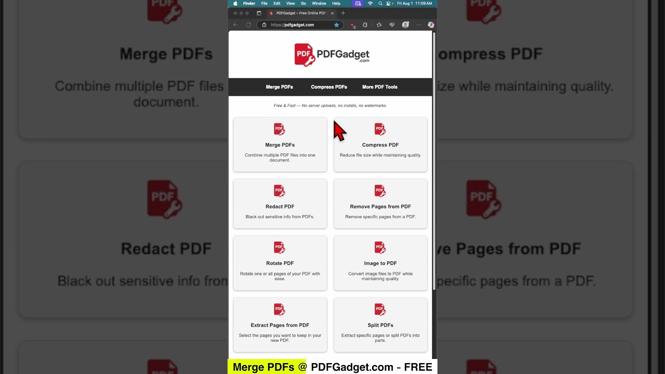
How to Merge Multiple PDFs into One PDF File
Are you tired of juggling multiple PDF files? Whether it’s work documents, personal receipts, or important forms, having all your information in one place can save you time and frustration. Combining several PDFs into a single file is an essential skill that can simplify your document management process. In this guide, we will take you through the steps to merge multiple PDF files into one, easily and for free!
Video Tutorial
Why You Might Be Looking for This Tutorial
There are many reasons why you may need to merge PDF files. For instance, you might be preparing a presentation that requires various reports and documents to be presented in one cohesive file. You could also be organizing your personal documents for easy access and sharing. Additionally, combining PDFs helps in reducing clutter and ensuring that related documents remain together, making it a lot easier to find what you need when you need it.
Steps to Merge Multiple PDFs into One PDF File
1. Choose Your Method
There are various ways to merge PDF files, including using online tools, desktop applications, or built-in features in software you may already have. For this tutorial, we will focus on using a free online PDF merging tool that is user-friendly and accessible on any device.
2. Select Your PDFs
Navigate to the chosen online PDF merging tool. Most sites will have a clear option to upload files. Click the ‘Upload’ or ‘Choose Files’ button and select the PDF documents you want to merge from your device.
3. Arrange the Files
After uploading, you will typically see a list or thumbnails of your selected PDFs. Make sure to arrange them in the desired order. Many tools allow you to drag and drop files to reorder them, ensuring that your final document flows logically.
4. Merge the PDFs
Once your files are arranged correctly, look for the ‘Merge’ or ‘Combine’ button. Click it and wait for the merging process to complete. This usually takes just a few seconds to a couple of minutes, depending on file size.
5. Download the Merged PDF
After the files have been successfully merged, there should be an option to download your new PDF file. Save it to your device and ensure you have it backed up for future reference.
6. Review Your Merged PDF
Open your newly created PDF to review it. Check that all pages are in the correct order and that no information is missing. This step is crucial to ensure your document meets your expectations before you share or use it.
Final Thoughts
Merging multiple PDFs into one file can significantly enhance your productivity and streamline your document management process. With the simple steps outlined above and the help of online tools, you can easily combine PDFs without spending a dime. Start merging your PDFs today and enjoy the convenience of having your documents organized in one file!
More PDF Tools & Tutorials:
 Subscribe Now! 🙂

Discover more from Gauging Gadgets
Subscribe to get the latest posts sent to your email.