How to Turn On & Use StandBy Mode on iPhone
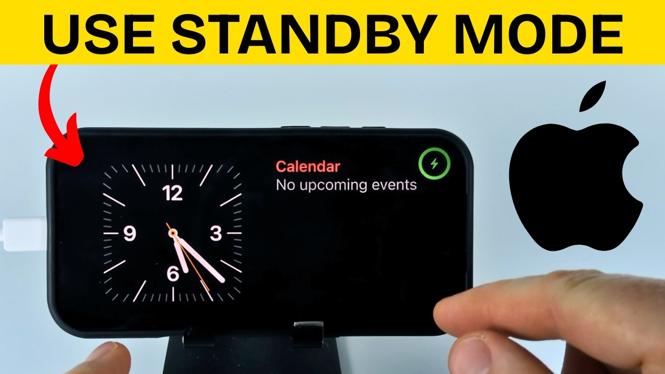
In 2026, iPhone users gained a powerful feature: StandBy Mode. This mode allows your device to transform into a smart display, showcasing widgets, photos, and clocks while it charges sideways. If you’re looking to maximize your iPhone’s potential, especially with the latest models like iPhone 16 and iPhone 17, this guide will walk you through the process of enabling and using StandBy Mode effectively.
Video Tutorial
Watch the video tutorial below for a step-by-step guide on enabling and using StandBy Mode on your iPhone.
Why You Might Be Looking for This Tutorial
Many iPhone users are eager to utilize the latest features that enhance the functionality of their phones. StandBy Mode is particularly appealing for the following reasons:
- Enhanced Usability: Transform your iPhone into a smart display during charging, making it easier to access information at a glance.
- Personalization: Customize your display with widgets, photos, and clocks that suit your style and needs.
- Convenience: Use your iPhone as a bedside clock or a photo frame, reducing the need for extra devices.
- Stay Updated: Learn to navigate the latest iOS features to keep your device running efficiently.
How to Enable and Use StandBy Mode on Your iPhone
Follow these steps to enable StandBy Mode on your iPhone:
- Open Settings: Start by tapping the Settings app on your iPhone.
- Locate Display & Brightness: Scroll down and select “Display & Brightness.”
- Enable StandBy Mode: Find the StandBy Mode option and toggle it on.
- Customize Your Display: Adjust settings to select widgets or photos to display while in StandBy Mode. You can also choose between different clock styles.
- Position Your iPhone: Place your iPhone horizontally on a charging pad to activate StandBy Mode.
- Enjoy the New Feature: Your iPhone will now display the selected content when charging and in StandBy Mode.
Conclusion
StandBy Mode is a valuable feature that enhances your iPhone’s functionality while it charges. By following the steps outlined above, you can easily enable this mode and customize your display to fit your lifestyle. Whether you want to see the time, enjoy your favorite photos, or access widgets, StandBy Mode offers the versatility and convenience many users are looking for.
More iPhone Tips & Tutorials:
 Subscribe Now! 🙂

Discover more from Gauging Gadgets
Subscribe to get the latest posts sent to your email.