How to Make Football Squares Game Online for FREE
Football Squares is a popular game that adds excitement to the big game, especially during events like the Super Bowl. If you’re looking for an easy and cost-effective way to host your own Football Squares game, you’re in the right place. This tutorial will guide you through the steps to create a Football Squares grid online for free using various tools available in 2025.
Video Tutorial
Why You Might Be Looking for This Tutorial
Whether you’re a seasoned football fan or just looking to make your viewing party more engaging, creating a Football Squares game is a fun way to involve your friends and family. You might be seeking this tutorial because:
- You want to offer an interactive experience during important football games.
- You prefer not to spend money on apps or printed materials.
- You are looking for a simple way to manage and share the grid with others.
- You want to learn how to set up pools and rules for your game.
Steps to Create a Football Squares Game Online for Free
Step 1: Choose a Free Online Tool
Start by selecting a free online tool that offers Football Squares grids. Websites such as PlayoffSquares.com or MyFootballSquares.com are popular choices. Check their user interfaces and pick the one that suits you best.
Step 2: Create Your Squares Grid
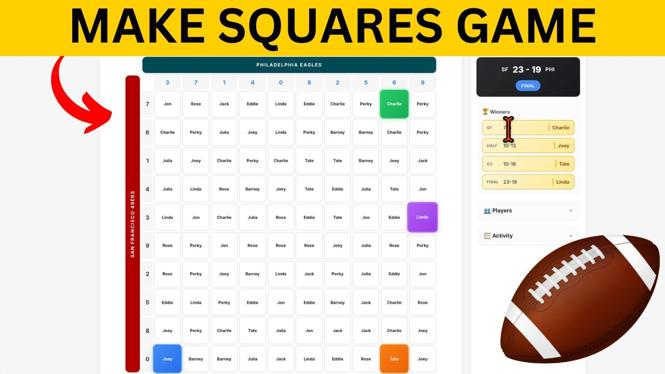
Once you’ve selected a tool, create a new game. You’ll typically need to define the size of your grid, which usually is 10×10. This creates 100 squares for players to choose from.
Step 3: Customize the Grid
After setting up the basic grid, customize it. Most tools allow you to name the game and set the rules regarding scoring. Don’t forget to establish how the scores will be determined, typically based on the last digit of each team’s score.
Step 4: Share with Friends
After you’ve created the grid, invite your friends to join! Most online tools provide a link that can be easily shared via text, email, or social media. Be sure to explain the rules to your participants and let them select their squares.
Step 5: Manage Your Game
As the game progresses, make sure to keep track of scores according to the predetermined rules. Updating the scores live can enhance the excitement and keep everyone engaged. Most platforms will even allow you to update scores directly for all players to see.
Step 6: Have Fun!
The most important part of hosting a Football Squares game is to enjoy it! Celebrate the winners and keep the fun spirit alive, regardless of who takes home the prize.
With these steps, you’re all set to create a Football Squares game online for free. Now it’s time to gather your friends, enjoy the game, and make some unforgettable memories!
More Football Squares Tutorials:
 Subscribe Now! 🙂

Discover more from Gauging Gadgets
Subscribe to get the latest posts sent to your email.