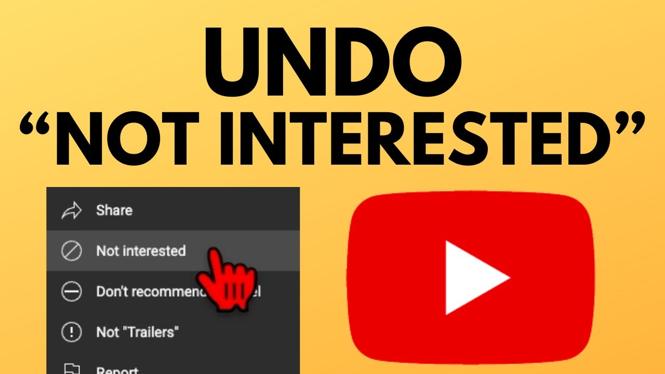
How to Undo or Delete “Not Interested” Feedback on YouTube
YouTube offers a personalized viewing experience by allowing users to provide feedback on videos. However, sometimes you may unintentionally select the “Not Interested” option, which could lead to unwanted video recommendations. In this post, we will guide you through the process of undoing or deleting this feedback on YouTube, helping you regain your preferred content recommendations.
Video Tutorial
Why You Might Be Looking for This Tutorial
As a regular YouTube user, you might find yourself in a situation where the content that appears on your homepage does not reflect your interests. This can happen due to mistakenly selecting the “Not Interested” option on videos. You may want to undo this selection to ensure a more enjoyable viewing experience. By following this guide, you can easily manage your feedback and reset your recommendations to see the content you love again.
Steps to Undo or Delete “Not Interested” Feedback
- Open YouTube: Start by launching the YouTube app or visiting the website on your computer.
- Log into Your Account: Ensure that you are signed in to the account where you provided the “Not Interested” feedback.
- Access Your History: Click on the menu icon (three horizontal lines) on the top left for the sidebar menu. Then select “History.”
- Find the ‘Not Interested’ Feedback: Scroll through your watch history or click on the “Not Interested” option to view the videos you marked.
- Undo the Feedback: Click on the three dots next to the video you want to undo the “Not Interested” feedback for and select “Remove from Not Interested.”
- Reset Recommendations: After removing the feedback, navigate back to your homepage to refresh your recommendations.
- Manage Future Feedback: Be mindful of how you interact with videos to prevent unwanted recommendations in the future. You can always repeat these steps to remove feedback as needed.
Conclusion
Managing your YouTube recommendations is crucial for an enjoyable viewing experience. By following this tutorial, you can easily undo or delete any “Not Interested” feedback, ensuring that your content feed aligns with your interests. Whether it’s a mistake or a change in preference, regaining control over your YouTube recommendations is just a few clicks away.
More YouTube Tips & Tutorials:
 Subscribe Now! 🙂

Discover more from Gauging Gadgets
Subscribe to get the latest posts sent to your email.