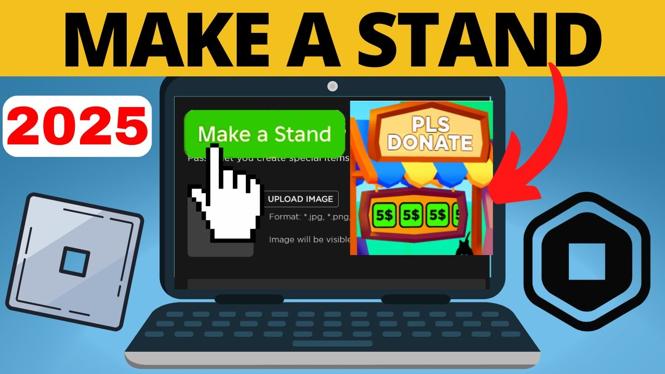
How to Make a Stand in Pls Donate
If you’re looking to create and customize your own stand in the popular Roblox game Pls Donate, you’re in the right place. This tutorial will guide you through the process of claiming a booth, setting up donation buttons, and beginning to earn Robux from other players. With these simple steps, you can start fundraising and expressing your creativity in 2025.
Video Tutorial
Why You Might Be Looking for This Tutorial
Many players in the Roblox universe are eager to find ways to monetize their gaming experience. Pls Donate allows you to set up a stand where you can receive donations from other players, making it an appealing option for creators and gamers alike. Perhaps you’re looking to fund a personal project, support a cause, or simply enjoy the thrill of fundraising in a vibrant and interactive environment. This step-by-step guide simplifies the process, ensuring that you can quickly establish your stand and start receiving donations.
Steps to Create Your Stand in Pls Donate
Step 1: Launch Roblox and Access Pls Donate
To get started, launch the Roblox app on your PC or laptop. Use the search feature to find Pls Donate, and once located, click ‘Play’ to enter the game.
Step 2: Claim Your Booth
Upon entering the game, look around to find an unoccupied booth. Approach the booth, and you will see an option to claim it. Click on it to take ownership of your stand. This booth will serve as your platform for receiving donations.
Step 3: Customize Your Stand
Once you have claimed your booth, you can customize it to reflect your style. You can change the appearance of your stand, add images, and set up text that describes what you are fundraising for or what the donations will be used for.
Step 4: Set Up Donation Buttons
To start receiving donations, you’ll need to set up game passes that act as donation buttons. Navigate to the settings or setup menu and look for the option to create a gamepass. Provide details such as the price and description of your pass, and integrate it with your stand.
Step 5: Start Fundraising
Once your stand is set up and your donation buttons are active, you are ready to begin fundraising! Encourage other players to stop by your booth and donate. Share your stand on social media or among friends to reach a larger audience.
Step 6: Track Your Donations
Keep an eye on the donations you receive. Pls Donate has an interface that shows you your earnings, allowing you to monitor how well your fundraising efforts are doing.
Conclusion
Creating and customizing a stand in Pls Donate is an exciting way to engage with the Roblox community while expressing your creativity. By following these steps, you can quickly set up your own booth, start receiving donations, and make a positive impact on the gaming world in 2025. To see the process in action, don’t forget to check out the video tutorial above for a visual guide!
More Roblox Tips & Tutorials:
 Subscribe Now! 🙂

Discover more from Gauging Gadgets
Subscribe to get the latest posts sent to your email.