How to Install Amazon App on iPhone
If you are an avid shopper, having the Amazon app on your iPhone is essential. The Amazon app allows you to browse, shop, and manage your orders conveniently from your mobile device. Whether you are looking to take advantage of great deals, track your orders, or simply check product availability, this app can make your shopping experience seamless.
Video Tutorial
Why You Might Be Looking for This Tutorial
In today’s fast-paced world, convenience is key. With the Amazon app on your iPhone, you can shop from anywhere at any time. This tutorial is perfect for you if:
- You are new to iPhone and want to install essential apps.
- You want to access your Amazon account on the go.
- You are looking to make online shopping more convenient.
- You prefer a quick way to browse deals and offers.
Steps to Install Amazon App on iPhone
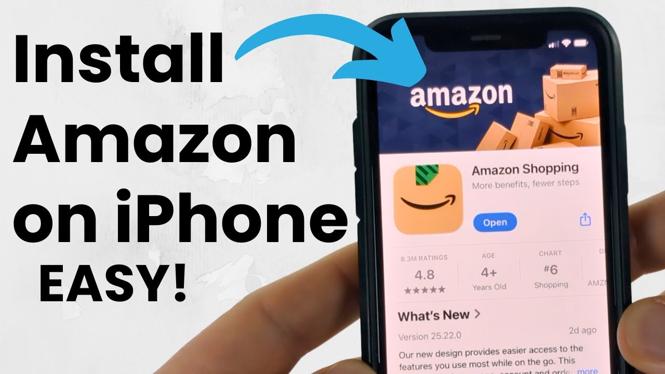
Installing the Amazon app on your iPhone is simple and straightforward. Follow these steps to get started:
- Open the App Store: Locate and tap the App Store icon on your iPhone’s home screen.
- Search for the Amazon App: In the search tab at the bottom of the screen, type “Amazon” in the search bar.
- Select the App: From the search results, find the official Amazon app (it will be published by Amazon Mobile LLC) and tap on it.
- Download and Install: Tap the “Get” button (or the cloud icon if you have downloaded it before). You may need to enter your Apple ID password or use Face ID/Touch ID to confirm the download.
- Open the App: Once installed, tap “Open” or locate the Amazon app icon on your home screen to launch it.
- Sign In or Create an Account: Enter your Amazon account credentials to start shopping, or create a new account if you don’t already have one.
By following these steps, you will have successfully installed the Amazon app on your iPhone and can now enjoy shopping at your fingertips!
More Amazon Tips & Tutorials:
 Subscribe Now! 🙂

Discover more from Gauging Gadgets
Subscribe to get the latest posts sent to your email.