How to Get Your YouTube Recap 2025
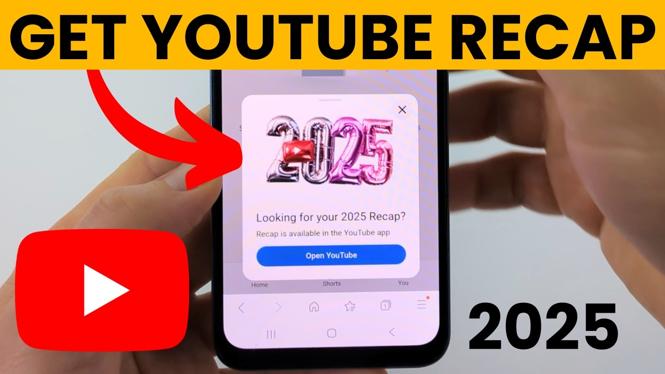
YouTube Recap is a fun and insightful way to review your viewing habits over the past year. These personalized year-in-review stats offer a look back at your most-watched videos, favorite creators, and overall listening trends. In this blog post, we will guide you through the steps to access your YouTube Recap for 2025 and troubleshoot any potential issues, ensuring that you do not miss out on this yearly highlight.
Video Tutorial
Why You Might Be Looking for This Tutorial
As a devoted YouTube user, you may be eager to reflect on your content consumption from the previous year. The YouTube Recap provides a nostalgic look at your viewing patterns, allowing you to celebrate your favorite creators and videos. Additionally, if you have encountered issues accessing your recap, this tutorial will assist you in diagnosing and resolving those problems effectively. With this comprehensive guide, you’ll be prepared to dive back into your YouTube history and cherish your favorite moments from the past year.
Steps to Access Your YouTube Recap 2025
- Log into Your YouTube Account: Open your browser and navigate to the YouTube website. Log into the account you use to watch videos. Ensure you’re logged in with the correct channel to see your personalized recap.
- Check Your Notifications: YouTube often sends out notifications regarding year-in-review highlights. Look for a banner or notification on your home page or in your account settings that leads to your recap.
- Visit the YouTube Recap Page: If you do not see a notification, you can manually visit the YouTube Recap page by typing ‘YouTube recap 2025’ in the search bar, or accessing it from the ‘Trending’ section, if available.
- Review Your Highlights: Once you’ve reached the recap page, take time to explore the different sections, such as your most-watched videos, favorite creators, and popular playlists. This is a great opportunity to rediscover content you may have forgotten.
- Troubleshoot Issues: If your YouTube Recap is not showing, ensure that your account is active and that you’ve been using YouTube consistently throughout the year. Additionally, clear your browser’s cache or try accessing your recap from a different device to resolve any technical glitches.
Conclusion
Your YouTube Recap is a valuable way to reflect on your viewing habits and appreciate the content that resonated with you over the year. Following the steps outlined in this guide will help you easily access your recap for 2025 and troubleshoot any issues you face. Enjoy revisiting your favorite creators, videos, and trends as you celebrate another year of content consumption on YouTube.
More YouTube Tips & Tutorials:
 Subscribe Now! 🙂

Discover more from Gauging Gadgets
Subscribe to get the latest posts sent to your email.