How to Remove Friends on Snapchat
In today’s digital age, managing your social media presence is essential. Snapchat, with its unique approach to sharing moments, allows users to connect with friends through snaps and stories. However, there may come a time when you want to cleanse your friend list by removing certain individuals. Whether it’s for privacy concerns, personal reasons, or simply to declutter your social media experience, knowing how to remove friends on Snapchat is crucial. This guide will walk you through the steps on both iPhone and Android devices to help you regain control of your friend list.
Video Tutorial
Why You Might Be Looking for This Tutorial
There are various reasons why you may seek to remove friends on Snapchat. Perhaps you want to limit who can view your snaps and stories, or you are no longer in touch with certain contacts. Additionally, it’s essential to maintain a comfortable online space by avoiding interactions with people who may no longer be relevant in your life. Learning how to effectively manage your friend list can enhance your Snapchat experience and ensure your social media interactions remain positive.
Steps to Remove Friends on Snapchat
For iPhone Users
- Open the Snapchat app on your iPhone.
- Tap on your profile icon in the top-left corner of the screen.
- Scroll down to find the ‘Friends’ section and tap on it.
- Locate the friend you wish to remove from your list.
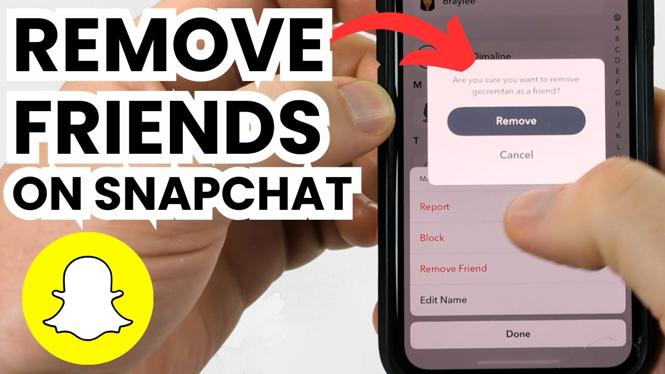
- Tap and hold on their name until a menu appears.
- Select the ‘Remove Friend’ option from the menu.
- Confirm your decision by tapping ‘Remove’ again.
For Android Users
- Launch the Snapchat app on your Android device.
- Tap on your profile icon, located in the top-left corner.
- Scroll down to the ‘Friends’ section and tap on it.
- Find the friend you wish to remove from your list.
- Press and hold their name until a menu shows up.
- Select ‘Remove Friend’ from the list of options.
- Confirm the removal by tapping ‘Remove’ once more.
Conclusion
Removing friends on Snapchat is a straightforward process that can significantly enhance your social media experience. By following the steps outlined above, you can take control of your friend list and improve your Snapchat interactions. Whether you’re doing it to protect your privacy or simply to streamline your feed, managing your friends effectively can lead to a more personalized and enjoyable Snapchat experience.
More Snapchat Tips & Tutorials:
 Subscribe Now! 🙂

Discover more from Gauging Gadgets
Subscribe to get the latest posts sent to your email.