How to Block Someone on Snapchat
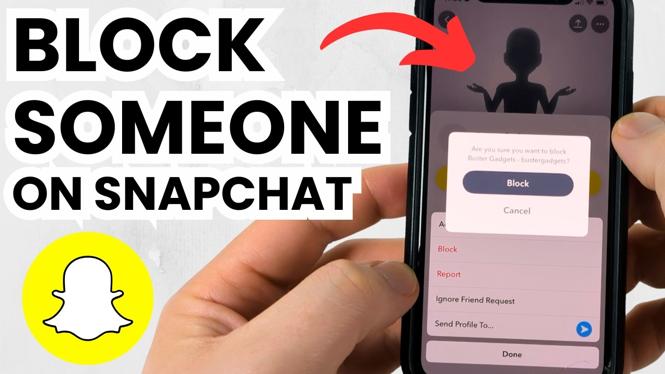
Blocking someone on Snapchat can be an important step for protecting your privacy and ensuring a safe and enjoyable experience on the platform. Whether you are facing unwanted messages, inappropriate snaps, or simply want to limit your interactions with specific users, knowing how to block someone on Snapchat is essential. This tutorial will guide you through the process step by step, making it easy for you to regain control over your Snapchat account.
Video Tutorial
Why You Might Be Looking for This Tutorial
There are several reasons why you might want to block someone on Snapchat. Perhaps you received unsolicited messages or snaps from a user you don’t know. Or maybe a friend has become overly intrusive, making you uncomfortable. Additionally, if you’re trying to keep your online interactions strictly to close friends or family, blocking certain users is a straightforward way to enhance your Snapchat experience. Whatever the case may be, knowing how to navigate the blocking feature will empower you to curate your social media environment.
Steps to Block Someone on Snapchat
Using an iPhone
- Open the Snapchat app on your iPhone.
- Tap on your profile icon located in the top-left corner.
- Scroll down and tap on “My Friends.”
- Find the user you wish to block in your friends list.
- Tap and hold on their name until a menu appears.
- Select “Block” from the menu that appears.
- Confirm your choice by tapping “Block” again.
Using an Android Device
- Launch the Snapchat app on your Android phone.
- Tap on your profile icon in the top-left corner of the screen.
- Access “My Friends” from the list below your profile.
- Locate the friend you want to block.
- Press and hold their name to bring up the options menu.
- Select “Block” from the options.
- Confirm your action by tapping “Block” again.
Using a Samsung Device
- Open the Snapchat application on your Samsung device.
- Tap your profile icon located in the top-left corner.
- Scroll down to “My Friends.”
- Find the contact you would like to block.
- Press and hold their name in the contact list.
- Choose “Block” from the menu that pops up.
- Confirm by selecting “Block” again.
Conclusion
Blocking someone on Snapchat is a simple process that can greatly enhance your experience on the platform. By following the steps outlined above, you can easily remove unwanted interactions and create a more enjoyable environment for yourself. Remember, your online safety and comfort should always be your priority. If you ever feel the need to reconsider a block, you can always unblock someone by following similar steps in your friends list. Take control of your Snapchat experience today!
More Snapchat Tips & Tutorials:
 Subscribe Now! 🙂

Discover more from Gauging Gadgets
Subscribe to get the latest posts sent to your email.