How to Put PS5 Controller in Bluetooth Pairing Mode
In this guide, we will take you through the steps necessary to enable Bluetooth pairing mode on your PS5 DualSense controller. This feature allows you to connect your controller wirelessly to a variety of devices including smartphones, tablets, and computers, enhancing your gaming experience beyond the PlayStation 5 console.
Video Tutorial
Why You Might Be Looking for This Tutorial
With the growing popularity of mobile and cross-platform gaming, many users seek ways to utilize their gaming controllers across different devices. If you’ve recently purchased a PS5 controller and want to take advantage of its capabilities on your iPhone, Android device, or computer, understanding how to put it into Bluetooth pairing mode is essential. This guide simplifies the process, allowing you to enjoy a seamless gaming experience wherever you go.
Steps to Put PS5 Controller in Bluetooth Pairing Mode
- Prepare your Controller: Ensure your PS5 DualSense controller is charged. A low battery can impede the pairing process.
- Turn Off the Controller: If your controller is currently on, turn it off by holding down the PlayStation button until the lights turn off.
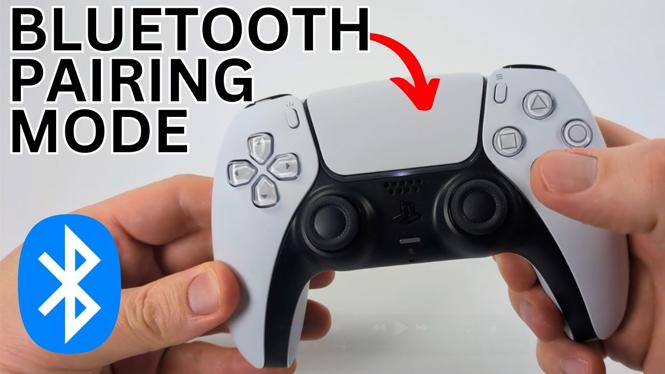
- Enter Pairing Mode: Press and hold the PlayStation button (the one with the PlayStation logo) and the Create button (located to the left of the touchpad) simultaneously.
- Check for Flashing Lights: After holding the buttons for a few seconds, you will see the light bar on the controller start to flash. This indicates that the controller is in pairing mode.
- Connect to Your Device: Go to the Bluetooth settings on your device. Look for “Wireless Controller” in the list of available devices and select it to pair.
- Confirmation: Once connected, the light on the controller will change to a solid color, indicating a successful connection.
Conclusion
By following these simple steps, you can easily put your PS5 controller into Bluetooth pairing mode and connect it with various devices. This versatility allows for an enhanced gaming experience across different platforms, making your gaming sessions more enjoyable and convenient.
More PS5 Tips & Tutorials:
 Subscribe Now! 🙂

Discover more from Gauging Gadgets
Subscribe to get the latest posts sent to your email.