How to Cancel AppleCare on iPhone
If you’ve decided to cancel your AppleCare subscription on your iPhone, whether due to changes in your device needs or just to save some money, you’ve come to the right place. This blog post will provide all the details you need to effectively cancel your AppleCare subscription, guiding you through the process step-by-step. Cancelling AppleCare can help you avoid unnecessary monthly or annual charges, allowing you to manage your finances better.
Video Tutorial
Why You Might Be Looking for This Tutorial
There are several reasons you might want to cancel your AppleCare subscription:
- You no longer need AppleCare for your device, perhaps because the warranty is still valid or you’ve chosen to move to a different protection plan.
- You might find that you can save money by cancelling the subscription, especially if you don’t utilize the benefits of AppleCare.
- Changes in your device usage or lifestyle could prompt you to reassess the need for additional protection.
- You simply want to adjust your current service plans or products.
Steps to Cancel AppleCare on Your iPhone
Follow these simple steps to cancel your AppleCare subscription:
- Open the Settings App: Start by tapping on the Settings app on your iPhone. This app has a gear icon and is typically found on your home screen.
- Tap on Your Name: At the top of the Settings menu, tap your name to access your Apple ID settings.
- Select Subscriptions: In the Apple ID menu, scroll down and tap on the “Subscriptions” option.
- Find AppleCare: In the list of your subscriptions, locate your AppleCare or AppleCare+ plan. Tap on it to view more details.
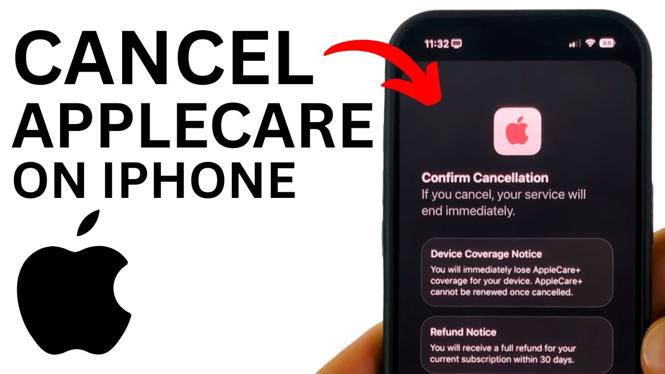
- Cancel Subscription: You will see an option to cancel your subscription. Tap on “Cancel Subscription” and follow the prompts to confirm the cancellation.
- Check for Confirmation: You should receive a confirmation message once your subscription has been successfully cancelled. Keep this for your records.
By following these steps, you’ll be able to cancel your AppleCare subscription easily and avoid any future charges. If you have any questions or run into issues during the cancellation process, feel free to leave a comment below for assistance.
More iPhone Tips & Tutorials:
 Subscribe Now! 🙂

Discover more from Gauging Gadgets
Subscribe to get the latest posts sent to your email.