How to Check Recently Watched Reels on Instagram
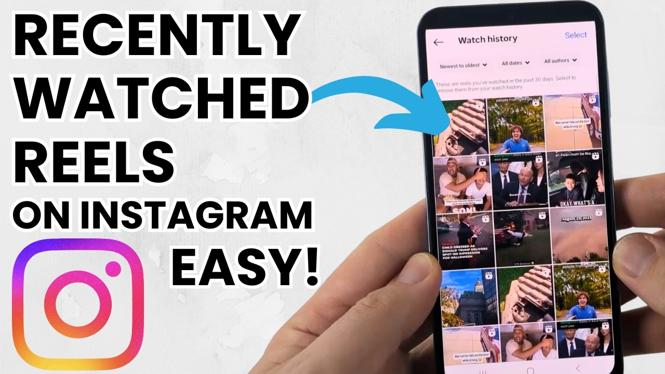
Instagram Reels have taken the platform by storm, providing users with a fun and innovative way to create and consume short-form video content. However, some users may find themselves wondering how to revisit those entertaining Reels they’ve watched in the past. Whether you spotted an inspiring recipe, an awesome dance challenge, or a captivating travel clip, knowing how to check your recently watched Reels can make it easy to find them again. This guide will walk you through several methods to view your Reels history on Instagram, so you never miss out on your favorite videos.
Video Tutorial
Why You Might Be Looking for This Tutorial
You may be looking for this tutorial for several reasons. Perhaps you want to relive a hilarious moment from a funny Reel, or you wish to save a helpful DIY project that you stumbled upon. Instagram’s algorithm is designed to show you new content, making it easy to lose track of what you’ve already seen. Additionally, as the platform frequently updates its features and interface, users may find it challenging to navigate the app effectively. By learning how to check your recently watched Reels, you can enhance your Instagram experience and easily engage with your favorite content again.
Steps to Check Recently Watched Reels on Instagram
Method 1: Using the Instagram App
- Open the Instagram app on your device.
- Navigate to your profile by tapping on your profile picture in the bottom right corner.
- Tap the three horizontal lines (menu icon) in the upper right corner to access settings.
- Go to ‘Your Activity’ and then select ‘Interactions.’
- Choose ‘Reels’ to view your history of watched Reels.
Method 2: Exploring Your Saved Posts
- Open Instagram and go to your profile.
- Tap the three horizontal lines and select ‘Saved’ from the menu.
- If you’ve saved any Reels in your Collections, you’ll find them here.
- To save a Reel while watching it, tap the three dots on the right of the Reel and select ‘Save.’ This will make it easier for you to find it later.
Method 3: Searching through Your Activity Log
- Open Instagram and go to your profile.
- Tap the three horizontal lines and select ‘Your Activity.’
- Scroll down to ‘Interactions’ and tap on it.
- Here you can see your comments, likes, and other interactions, including Reels you have engaged with.
Conclusion
Being able to check your recently watched Reels on Instagram enhances your overall experience by allowing you to revisit the content you love. Whether you’re using the Instagram app directly, exploring your saved posts or diving into your activity log, finding those favorite Reels has never been easier. By following the methods outlined in this tutorial, you can make sure you never lose touch with the enjoyable moments shared on Instagram Reels.
More Instagram Tutorials:
 Subscribe Now! 🙂

Discover more from Gauging Gadgets
Subscribe to get the latest posts sent to your email.