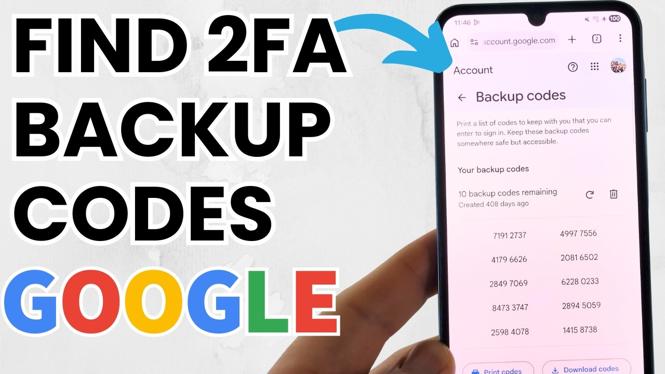
How to Find Google 2 Step Verification Backup Codes
In an increasingly digital world, protecting your online accounts is more important than ever. Google’s 2 Step Verification adds an essential layer of security to your account, but if you ever lose access to your primary verification method, you risk getting locked out. That’s where backup codes come in. This tutorial will guide you through the steps to locate, view, and save your Google 2 Step Verification backup codes on both iPhone and Android devices in 2026.
Video Tutorial
Why You Might Be Looking for This Tutorial
You might be searching for this tutorial for several reasons. Perhaps you’ve set up Google 2 Step Verification but have lost access to your primary device, or you simply want to ensure you have your backup codes handy for peace of mind. It’s crucial to understand where these codes are stored, as they offer a safety net that allows you to regain access to your account if something goes wrong. Ensuring that you are prepared can save you a lot of time and frustration in the future.
Steps to Find Your Google 2 Step Verification Backup Codes
- Open the Google App: On your iPhone or Android device, start by launching the Google app. Make sure you are signed into your account.
- Access Your Google Account Settings: Tap on your profile picture in the upper right corner. Select ‘Manage your Google Account’ from the dropdown menu.
- Navigate to Security: Once in your account settings, look for the ‘Security’ tab. This is where you’ll find settings related to account protection.
- Find 2-Step Verification: Scroll down until you see the ‘Signing in to Google’ section. Under this section, tap on ‘2-Step Verification.’
- Locate Backup Codes: Scroll down to the ‘Backup codes’ section. Here, you will have the option to view your existing codes or generate new ones.
- Save Your Backup Codes: It is essential to save these codes in a secure location. You can either write them down or take a screenshot, but ensure they’re not stored on your device where they could be compromised.
By following these steps, you can ensure that you always have access to your Google account, even when facing unexpected issues with your verification methods. Never underestimate the importance of backup codes—they can be a lifesaver in critical moments.
More Google Tips & Tutorials:
 Subscribe Now! 🙂

Discover more from Gauging Gadgets
Subscribe to get the latest posts sent to your email.