How to Delete ChatGPT Account
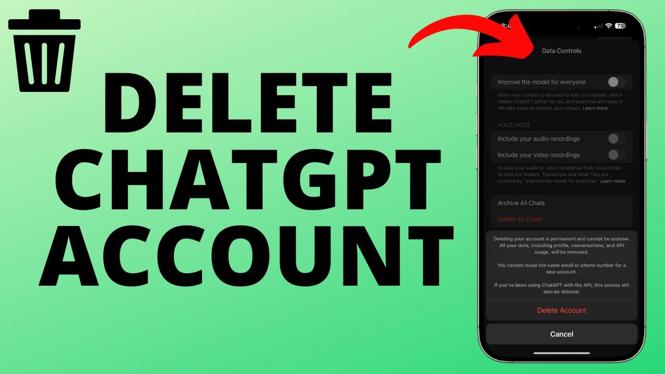
If you’ve decided to part ways with ChatGPT, you may be wondering how to delete your account permanently. Whether it’s due to privacy concerns, wanting to take a break from the application, or simply not finding it beneficial anymore, deleting your ChatGPT account is a straightforward process. In this article, we will guide you through the steps to permanently delete your ChatGPT account on both iPhone and Android devices. Please note that deleting your account means all your chats, library, and data will be lost forever.
Video Tutorial
Why Look for This Tutorial?
There are several reasons why you might be searching for a tutorial on how to delete your ChatGPT account. You might have privacy concerns regarding the data stored in your account, or you may simply feel that the service no longer meets your needs. Alternatively, you might be experiencing issues with the app that push you towards seeking a permanent solution. Understanding how to delete your account safely and effectively can save you time and help ensure that your personal data is handled securely.
Steps to Permanently Delete Your ChatGPT Account
For iPhone Users:
- Open the ChatGPT app on your iPhone.
- Navigate to your account settings by tapping on your profile icon located at the bottom right corner of the screen.
- Scroll down to find the “Privacy” section.
- Tap on “Delete Account” and follow the on-screen prompts to confirm your decision.
- Your account, along with all associated data, will be permanently deleted.
For Android Users:
- Launch the ChatGPT app on your Android device.
- Tap on your profile icon or the menu icon, usually located in the upper right corner.
- Select “Settings” from the dropdown menu.
- Go to the “Privacy” section and look for “Delete Account.”
- Follow the instructions provided to permanently delete your account.
Once you’ve completed these steps, your ChatGPT account will be permanently deleted. Make sure you are certain about your decision, as this action cannot be undone. If you have any questions or face challenges during this process, feel free to leave a comment below the video for assistance.
More ChatGPT Tips & Tutorials:
 Subscribe Now! 🙂

Discover more from Gauging Gadgets
Subscribe to get the latest posts sent to your email.