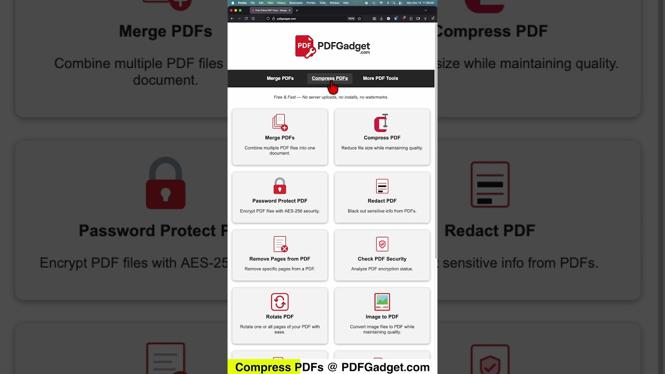
This guide covers how to compress PDF files for free using an online tool. You will learn how to quickly reduce the size of your PDFs without downloading any software.
Video Tutorial
Watch the full walkthrough above, or keep reading for the written steps.
Why You Might Need This
There are many situations where you might need to compress a PDF file. If you need to send a large document via email, most email services have size limits. Reducing the file size can help you avoid those restrictions.
Another common scenario is uploading files to websites that require smaller file sizes. Compressing your PDFs can save you time and hassle when dealing with online submissions.
Step-by-Step Guide
Step 1: Visit PDFGadget.com
Open your web browser and go to PDFGadget.com.
Step 2: Upload Your PDF
Click on the “Choose File” button. Select the PDF file you want to compress from your device.
Step 3: Start Compression
After uploading, click the “Compress” button. The tool will begin reducing the file size.
Step 4: Download the Compressed PDF
Once the compression is complete, a download link will appear. Click on it to save the compressed PDF to your device.
Important Tips
- Make sure to keep a copy of the original PDF in case you need it later.
- Check the quality of the compressed PDF to ensure it meets your needs.
Conclusion
You have learned how to compress PDF files for free using PDFGadget.com. This method is quick and easy, helping you save space and meet file size requirements. Be sure to check out related tutorials on the channel for more helpful tips.
More PDF Tools & Tutorials:
 Subscribe Now! 🙂

Discover more from Gauging Gadgets
Subscribe to get the latest posts sent to your email.