How to Cancel ChatGPT Plus Subscription
In the world of AI-driven platforms, ChatGPT Plus offers features that enhance user experience and interactivity. However, circumstances may lead users to cancel their subscriptions. Whether you’ve found a different tool that better suits your needs or you’re taking a break from ChatGPT, knowing how to cancel your subscription is essential. This blog post will guide you through the steps required to easily cancel your ChatGPT Plus subscription on various devices, ensuring you won’t incur further charges.
Video Tutorial
Why One Might Be Looking for This Tutorial
There are several reasons why you might be seeking to cancel your ChatGPT Plus subscription:
- Cost Management: In today’s economy, managing expenses is crucial, and cancelling subscriptions you no longer use can save you money.
- Feature Redundancy: If you’ve found similar features in other applications or tools that better meet your current needs, it may be time to let go of ChatGPT Plus.
- Temporary Break: Some users may choose to cancel their subscription while they take a break from using AI platforms, but they might wish to retain access until the end of their billing period.
- Device Compatibility Issues: Users encountering issues on their devices may decide to cancel until solutions are found or improvements are made.
Steps to Cancel Your ChatGPT Plus Subscription
1. Open Your Device Settings
Depending on your device—iPhone, Android, or Samsung—you will need to access your app settings or the OpenAI account settings.
2. Navigate to Subscriptions
For iPhone users, go to Settings > Your Name > Subscriptions. Android and Samsung users may open the Google Play Store and select Subscriptions from the menu.
3. Locate ChatGPT Plus
In the list of subscriptions, find and select ChatGPT Plus to view the subscription details.
4. Cancel the Subscription
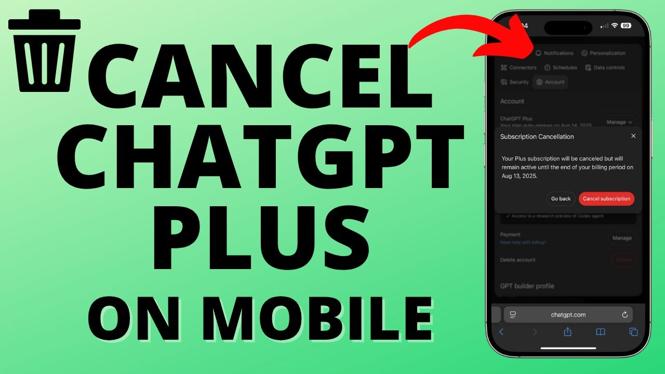
Once you have selected ChatGPT Plus, you will see the option to cancel your subscription. Follow the prompts and confirm your cancellation.
5. Check Confirmation
Ensure you receive a confirmation of your cancellation. You may continue to enjoy the features of ChatGPT Plus until the end of your current billing cycle.
Conclusion
Canceling your ChatGPT Plus subscription is a straightforward process that can be completed in just a few minutes. By following the steps outlined above, you can ensure that you will not be charged in subsequent billing cycles. Whether you are taking a break or switching to another service, it’s important to have control over your subscriptions.
More ChatGPT Tips & Tutorials:
 Subscribe Now! 🙂

Discover more from Gauging Gadgets
Subscribe to get the latest posts sent to your email.