How to Fix Text Not Showing on Booth in Pls Donate
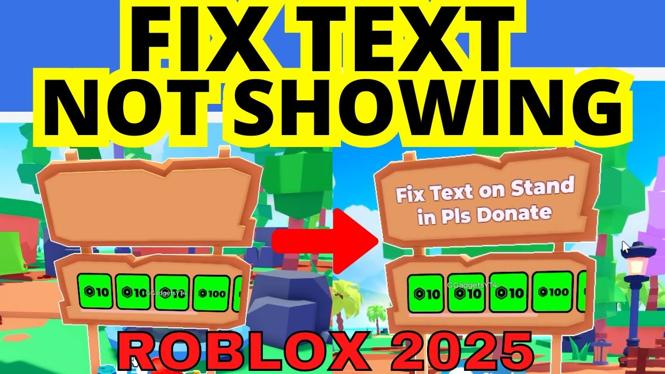
If you are playing Roblox’s Pls Donate and have encountered the frustrating issue of your booth text not displaying correctly, you’re not alone. Many players face this problem when trying to share their donation messages or Game Pass information. Fortunately, there are straightforward steps you can take to resolve this issue and get your booth text visible again. In this blog post, we will explore the common reasons behind this issue and provide you with a step-by-step guide to fix it.
Video Tutorial
Why You Might Be Looking for This Tutorial
There are several reasons why players in Roblox’s Pls Donate might find themselves in search of a solution for text not appearing on their booths:
- Losing Donations: If players cannot see your booth text, they might miss out on donating, resulting in lost opportunities to raise funds for your causes.
- Communication Issues: Many players use their booth text to communicate important information or showcase their Game Passes. Not having this information visible can lead to confusion.
- Simply Wanting to Enhance Gameplay: For many players, having an effective and appealing booth is part of the fun. Fixing this issue allows you to fully participate in the game’s community.
Steps to Fix Text Not Showing on Booth in Pls Donate
To remedy the issue of text not showing on your booth, follow these steps closely:
- Check Your Chat Settings:
Navigate to the settings of your Roblox account. Make sure that the chat settings are configured correctly. Go to the Privacy tab and check if the chat is enabled for your account.
- Update Your Booth Text:
In the Pls Donate game, interact with your booth. There should be an option to edit your booth text. Make sure that you input your message correctly and save the changes.
- Test with Different Messages:
Sometimes, certain texts may not display due to content restrictions or errors. Try using a simple text message first to see if it shows up.
- Rejoin the Game:
If the text still does not appear, exit and rejoin the Pls Donate game. This can refresh your session and might resolve any display issues.
- Contact Roblox Support:
If you have tried all the above steps and still face the issue, consider contacting Roblox support for further assistance.
By following these steps, you will be able to fix the text not showing on your booth in Pls Donate. Enhancing your booth visibility is essential to improve your engagement with players and increase your chances of receiving donations. Happy gaming!
More Roblox Tips & Tutorials:
 Subscribe Now! 🙂

Discover more from Gauging Gadgets
Subscribe to get the latest posts sent to your email.