How to Change Instagram Call Ringtone
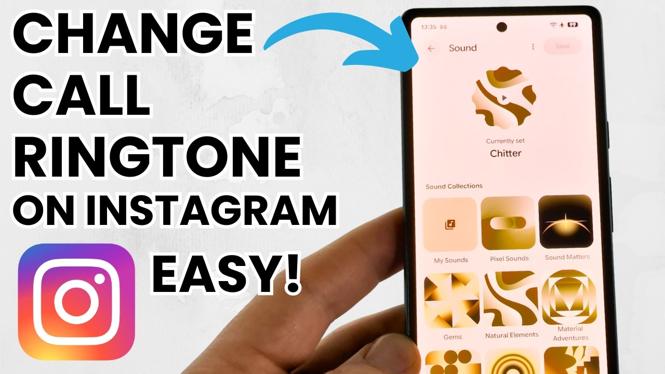
Are you tired of missing important Instagram calls because you can’t hear the default ringtone? Customizing your call ringtone can be a great way to ensure you never miss an important notification or call again. In this tutorial, we will guide you through the steps to change the Instagram call ringtone on Android devices, including the Samsung Galaxy S25, S24, and Google Pixel. Follow this straightforward process to select a unique ringtone that fits your style. Note that this guide is applicable to Android devices only; unfortunately, iPhone users cannot change their Instagram video call ringtone.
Video Tutorial
Why You Might Be Looking for This Tutorial
There are several reasons why you may want to change your Instagram call ringtone. Here are a few:
- Personalization: Customizing your ringtone allows you to express your individuality and preferences.
- Notification Clarity: Assigning a unique ringtone helps you distinguish Instagram calls from calls from other apps or your phone.
- Stay Alert: A distinct ringtone will make it easier for you to notice important calls, helping you stay connected with friends and family.
- Fun Factor: Choose a fun or upbeat ringtone that matches your personality or mood, making your Instagram experience more enjoyable.
Steps to Change Instagram Call Ringtone
- Open the Instagram app on your Android device.
- Tap on your profile picture located at the bottom right corner of the screen.
- Access the menu by tapping on the three horizontal lines in the top right corner.
- Go to Settings and select Account.
- Scroll down and tap on Notifications.
- Find the option for Direct Messages or Video Calls (name might vary depending on the version).
- Here, you should see an option for Ringtone or Call Ringtone; tap on it.
- Select your desired ringtone from the list of available options or upload your own audio file if supported.
- After selecting, make sure to save your settings and exit.
Following these steps will ensure that your Instagram calls are easily recognizable, helping you stay connected more effectively. Enjoy your personalized notification experience!
More Instagram Tutorials:
 Subscribe Now! 🙂

Discover more from Gauging Gadgets
Subscribe to get the latest posts sent to your email.