How to Buy Kindle Books on Amazon
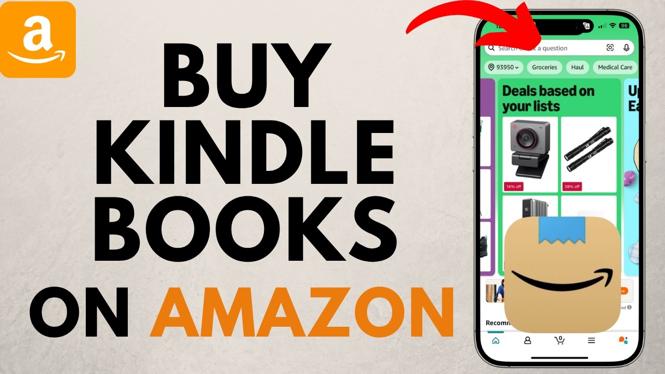
In today’s digital age, purchasing Kindle books on Amazon has become a popular choice for avid readers who enjoy the convenience of eBooks. Whether you are looking to expand your personal library or find the latest bestseller, buying a Kindle book is a straightforward process that allows you to access content instantly from your Kindle device or app. This tutorial will guide you through the step-by-step process of buying Kindle eBooks on Amazon, ensuring you can start reading in no time.
Video Tutorial
Why You Might Be Looking for This Tutorial
Many readers are increasingly turning to digital books for their ease of access and portability. If you’re a newcomer to the Kindle ecosystem or just need a refresher on purchasing eBooks from Amazon, this tutorial will equip you with the essential steps to make your buying experience seamless. Knowing how to navigate the Kindle platform will unlock a world of literature right at your fingertips, allowing you to quickly find and buy your favorite titles without any hassle.
Steps to Buy Kindle Books on Amazon
- Create an Amazon Account: If you don’t have an Amazon account, you’ll need to sign up. Visit the Amazon website, click on ‘Account & Lists’, and select ‘Start here’ to create a new account.
- Access the Kindle Store: Once logged in, hover over the ‘All’ menu, select ‘Kindle E-Readers & Books’, and then click on ‘Kindle Store’ to explore available eBooks.
- Browse or Search for Books: You can either browse through various categories or use the search bar to find a specific title. Take note of the different genres and trends for your interests.
- Select a Book: Click on the book cover of the title you want to purchase. This will take you to the book’s detail page where you can read the synopsis and reviews.
- Choose the Purchase Option: On the book’s detail page, select the ‘Buy now with 1-Click’ button. Ensure that your preferred payment method is selected, and review your purchase summary.
- Confirm Payment: Click on the ‘Buy’ button to complete your purchase. You may need to confirm your payment method before finalizing.
- Access Your Library: After purchasing, the book will automatically be sent to your Kindle device or app. You can access it through your Library section at any time.
Conclusion
Buying Kindle books from Amazon is a simple process that opens up a wide array of reading possibilities. By following the steps outlined in this tutorial, you can confidently explore the Kindle store and enhance your reading experience. With just a few clicks, you’ll have your favorite titles ready to read whenever you want.
More Amazon Tips & Tutorials:
 Subscribe Now! 🙂

Discover more from Gauging Gadgets
Subscribe to get the latest posts sent to your email.