How to Turn Off Active Status on Facebook
In today’s digital age, privacy is a growing concern for many social media users. Facebook, while connecting billions of people, also makes it easy for your friends and acquaintances to see when you are online. If you’re looking to maintain a level of privacy while using the platform, turning off your active status is a quick and effective way to do so. This tutorial will guide you step-by-step on how to disable your online presence on Facebook, allowing you to browse without being disturbed by notifications or messages from others.
Video Tutorial
Why You Might Be Looking for This Tutorial
There are several reasons someone might want to turn off their active status on Facebook:
- Privacy: You may want some time to yourself without receiving messages or notifications from friends.
- Reduce distractions: When browsing Facebook, seeing that someone is active can lead to interruptions, especially during work or study times.
- Control over online presence: Disabling your active status gives you the power to choose when and how to engage with others on the platform.
Steps to Turn Off Active Status on Facebook
Disabling your active status on Facebook is a straightforward process. Follow these steps to ensure your online status is hidden from others:
- Log into your Facebook account: Open your web browser or mobile app and sign in to your Facebook account using your credentials.
- Navigate to Settings: Click on the down arrow in the top right corner of your Facebook page (on the web) or tap the three horizontal lines (on mobile) to access the menu.
- Select ‘Settings & Privacy’: From the drop-down menu, choose ‘Settings & Privacy’ and then click on ‘Settings.’
- Find the ‘Privacy’ section: In the left sidebar (or scroll down in the app), look for the ‘Privacy’ option and click on it.
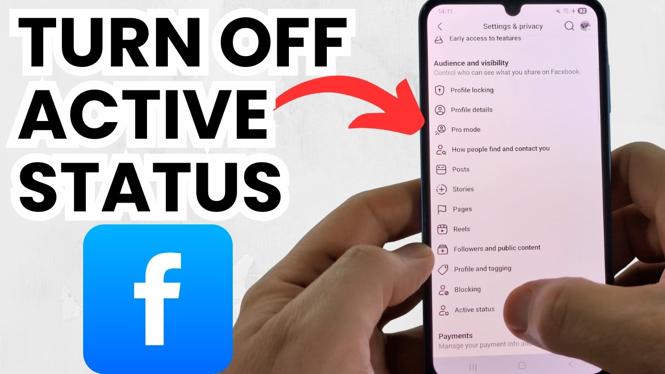
- Active Status: In the Privacy settings, you will see an option labeled ‘Active Status.’ Click on it.
- Turn off Active Status: Toggle the switch to disable your active status. You will be prompted to confirm your choice. Once confirmed, your active status will be hidden from your friends.
- Check your settings: It’s advisable to revisit your settings to ensure that the option is turned off and your online activity remains private.
By following these simple steps, you can easily manage your online presence on Facebook. Enjoy browsing privately without the worry of being seen online by your friends or followers.
More Facebook Tips & Tutorials:
 Subscribe Now! 🙂

Discover more from Gauging Gadgets
Subscribe to get the latest posts sent to your email.