How to Bold Text on a Facebook Post
In today’s digital communication landscape, standing out on social media is essential. Facebook, being one of the largest social platforms, allows users to engage with their audience in meaningful ways. One simple yet effective method to enhance the visibility of your posts is by using bold text. However, many users are unsure how to achieve this styling using the Facebook app on different devices. In this blog post, we will explore step-by-step methods to bold text on Facebook posts whether you are using an iPhone, Android, or Samsung device.
Video Tutorial
Why You Might Be Looking for This Tutorial
Many users may seek guidance on how to bold text on Facebook for several reasons:
- Enhancing Engagement: Bold text can draw attention to specific parts of your post, making it easier for your audience to engage with your content.
- Improving Readability: Using bold text can help segment your message, improving overall readability and keeping your audience’s interest.
- Making a Statement: When you want to emphasize important information or announcements, bolding the text can convey urgency and significance more effectively.
Steps to Bold Text on a Facebook Post
Using the Facebook App on Mobile
Follow these simple steps to bold your text in the Facebook app:
- Open the Facebook App: Launch the Facebook application on your iPhone, Android, or Samsung device.
- Create a New Post: Tap on the ‘What’s on your mind?’ box to start creating a new post.
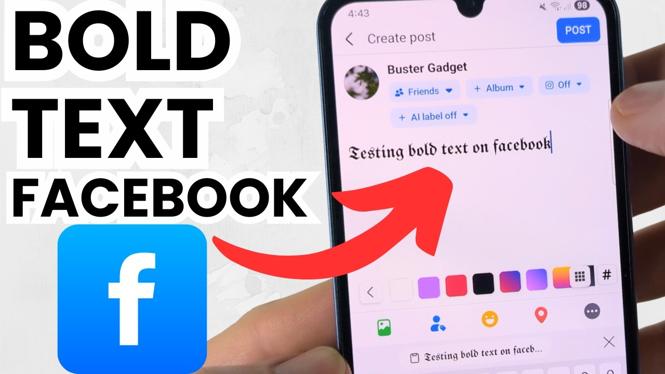
- Compose Your Message: Write your desired message. To bold specific text, you will need to use special formatting methods (explained below).
- Format Your Text: While Facebook does not have a direct bold function, you can use third-party apps or websites that convert your text into Unicode bold for copying and pasting. Alternatively, use the shortcuts provided in our video tutorial.
- Post Your Message: Once you have finalized your text, click on the ‘Post’ button to share your bold message with your friends and followers.
Alternative Method – Using Formatting Tools
If you prefer an easier method, several online tools can help you generate bold text transferable to Facebook:
- Access a Unicode text generator such as “LingoJam” or “Unicode Text Converter.”
- Enter your standard text and select the bold version.
- Copy the bold text and paste it directly into your Facebook post.
Conclusion
Styling your text using bold formatting on Facebook can significantly improve the way you communicate with your audience. By highlighting important messages and enhancing the visual appeal of your posts, you can stimulate engagement and captivate your readers. Whether using your mobile device or a text generator, incorporating bold text into your Facebook posts is straightforward. Experiment with this formatting technique to see the difference it makes in your online communication.
More Facebook Tips & Tutorials:
 Subscribe Now! 🙂

Discover more from Gauging Gadgets
Subscribe to get the latest posts sent to your email.