How to Block People on Roblox
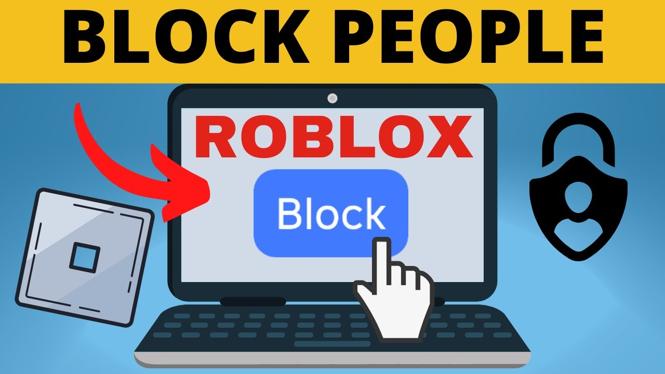
Roblox is a massively popular online platform that allows users to create and play games created by other users. While it offers a fun and friendly environment, there may be times when you encounter individuals whose behavior is not conducive to a positive gaming experience. This is where knowing how to block people on Roblox becomes essential. Blocking users allows you to protect your account, limit unwanted interactions, and maintain a safe gaming environment. In this article, we will guide you step by step on how to block someone on Roblox when playing on a PC or laptop.
Video Tutorial
Why You Might Be Looking for This Tutorial
If you are experiencing disruptive behavior from other players, blocking them can provide immediate relief. Perhaps you’ve encountered spammers, bullies, or just someone whose gameplay style doesn’t match your own. Knowing how to block these players gives you control over your online interactions and ensures that your gaming experience remains enjoyable. Additionally, understanding this process is particularly important for parents who want to safeguard their children’s gaming activities on Roblox. This tutorial will help you navigate the necessary steps to effectively block unwanted users.
Steps to Block Someone on Roblox
- Open Roblox. Launch the Roblox application on your PC or laptop and log into your account.
- Find the Player’s Profile. You can either click on their username in the game, or search for their profile using the search bar on the top of the Roblox home page. Type in their username and select their profile from the search results.
- Access the 3-dot Menu. Once you are on the player’s profile page, look for the three-dot menu icon located on the upper right corner of their profile.
- Select the Block Option. Click on the three-dot menu and select the “Block” option from the dropdown menu. This will initiate the blocking process.
- Confirm the Block. A confirmation prompt will appear asking if you are sure you want to block the user. Confirm your action by clicking on “Block” again.
- Check Your Blocked Users List. If you wish to manage your blocked users in the future, go to the account settings by clicking on the gear icon in the upper right corner of the main Roblox page. From there, select the “Privacy” tab to view your blocked users.
Conclusion
Blocking users on Roblox is a straightforward process that can greatly enhance your gaming experience by creating a safer and more enjoyable environment. Whether you’re dealing with offensive behavior or simply prefer to play without certain users, mastering this skill is vital. Follow the steps outlined above to block unwanted players and take control of your online interactions on Roblox.
More Roblox Tips & Tutorials:
 Subscribe Now! 🙂

Discover more from Gauging Gadgets
Subscribe to get the latest posts sent to your email.