How to Turn OFF Political Content on Facebook
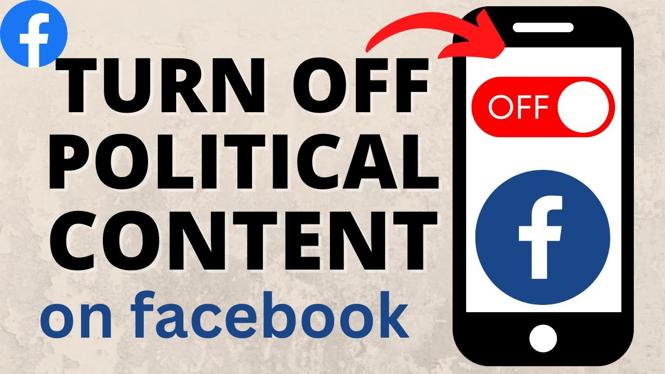
In today’s digital landscape, social media platforms like Facebook play a significant role in shaping our daily news consumption and interactions. However, many users have expressed a desire to minimize the political discussions that often dominate their feeds. If you are tired of seeing political posts and want to create a more enjoyable browsing experience, you have come to the right place. In this blog post, we will walk you through the simple steps needed to turn off political content on Facebook.
Video Tutorial
Before we dive into the steps, here’s a helpful video guide that visually illustrates the process:
Why You Might Be Looking for This Tutorial
There are several reasons you might want to reduce or eliminate political content from your Facebook feed:
- Overwhelmed by Negativity: Political content can often be divisive and contentious, leading to a negative browsing experience.
- Desire for Positive Content: Many users prefer to see uplifting and enjoyable content from friends and family rather than political debates.
- Focused Content Consumption: Individuals might want to prioritize posts related to their interests, hobbies, or personal growth instead of politics.
- Avoiding Misinformation: The spread of misinformation and exaggerated claims in political posts can be concerning. Turning off this content helps maintain a more reliable news feed.
Steps to Turn Off Political Content on Facebook
Follow these simple steps to adjust your settings and reduce political posts in your Facebook feed:
- Log into Your Facebook Account: Open your web browser and log in to your Facebook account.
- Go to Your News Feed Preferences: Click the downward arrow in the top right corner of Facebook. Select “Settings & Privacy” and then click on “Settings.” In the left sidebar, click on “News Feed Preferences.”
- Manage Your News Feed: Here, you will find various options to manage your news feed. You can prioritize which friends and pages to see first or unfollow those you wish to hide, including political pages.
- Limit Political Content: Look for options that allow you to see fewer political posts. You can use the settings to snooze or unfollow specific pages or groups that post a lot of political content.
- Check Your Ad Preferences: Go to “Ads” in the Settings menu. You can customize your ad experience, including reducing ads related to politics.
- Regularly Update Your Preferences: Keep checking your preferences periodically as Facebook’s algorithms and your interests may change over time.
By following these steps, you’ll be on your way to creating a more enjoyable and personalized Facebook experience, free from the stress of political discussions dominating your feed. Enjoy engaging with content that truly matters to you!
More Facebook Tips & Tutorials:
 Subscribe Now! 🙂

Discover more from Gauging Gadgets
Subscribe to get the latest posts sent to your email.