How To Redeem Physical Amazon Gift Card
In today’s digital shopping world, gift cards remain a popular choice for giving and receiving gifts, especially from Amazon. Understanding how to redeem a physical Amazon gift card allows you to unlock your funds quickly and enjoy the vast range of products available on the platform. In this blog post, we will guide you through the simple steps necessary to redeem your physical Amazon gift card, ensuring you can apply that balance hassle-free to your next purchase.
Video Tutorial
Why You Might Be Looking for This Tutorial
If you’ve recently received a physical Amazon gift card, you may be wondering how to apply it to your account, especially if you’re not familiar with the process. Perhaps you are gifting or receiving one during the holiday season or a special occasion. You might have seen physical gift cards available in stores and want to know how to make use of them. Knowing how to redeem them is crucial for a seamless shopping experience, allowing you to take full advantage of the gift card’s value.
Steps to Redeem a Physical Amazon Gift Card
Step 1: Locate Your Gift Card Code
Step 2: Sign in to Your Amazon Account
Next, go to the Amazon website or open the Amazon app. If you already have an account, sign in using your credentials. If you do not have an account, you will need to create one before you can redeem your gift card.
Step 3: Navigate to the Gift Card Redemption Section
Once logged in, scroll to the ‘Accounts & Lists’ dropdown menu, usually found at the top-right corner of the homepage. From there, click on ‘Your Account,’ and then look for the ‘Gift Cards’ option. This will lead you to the gift card redemption page.
Step 4: Enter Your Gift Card Code
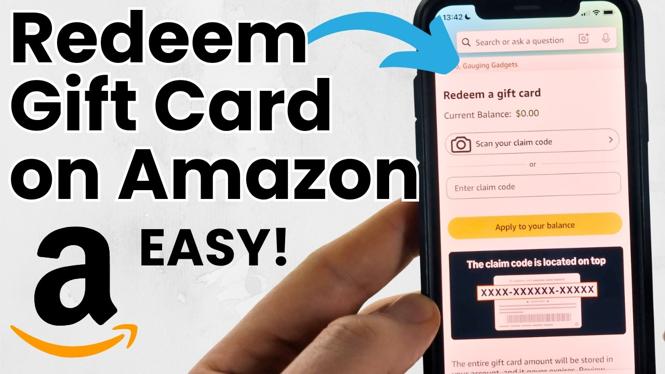
On the gift card redemption page, you will see a box where you can enter your claim code. Carefully type in the code exactly as it appears, without any spaces. After entering the code, click on the ‘Apply to Your Balance’ button to add the funds to your account.
Step 5: Confirm the Balance Update
Once you’ve entered your gift card code, your balance will be updated instantly. You should receive a confirmation message indicating that the funds have been successfully added to your account. You can view your updated balance in your account settings or on the gift card page.
Step 6: Start Shopping!
Now that your gift card funds have been successfully redeemed, you can start shopping! Browse through Amazon’s extensive catalog and apply your gift card balance to your purchases at checkout. Just ensure that you select the appropriate payment method, including using the gift card balance for your order.
Conclusion
Redeeming a physical Amazon gift card is a straightforward process that can open the door to a world of shopping possibilities. By following these simple steps, you can easily transfer your gift card funds into your Amazon account and enjoy the products you desire. Whether it’s for yourself or someone else, knowing how to efficiently redeem an Amazon gift card enhances your overall shopping experience.
More Amazon Tips & Tutorials:
 Subscribe Now! 🙂

Discover more from Gauging Gadgets
Subscribe to get the latest posts sent to your email.