How to Play Clash of Clans on PC & Laptop
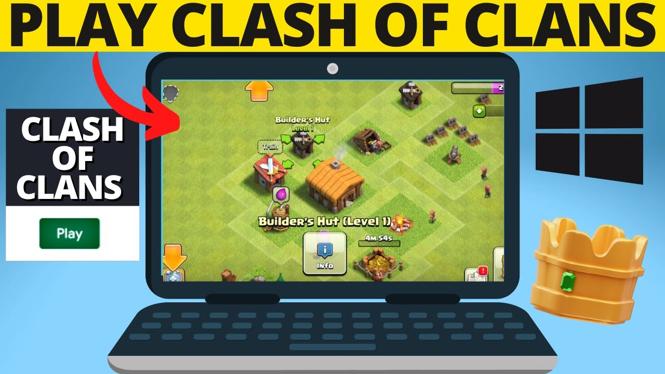
If you’re a fan of Clash of Clans and want to enjoy the game on a larger screen with better controls, playing on a PC or laptop is a great option. In this tutorial, we will walk you through the steps necessary to download and install Clash of Clans on your Windows 10 or 11 computer using Google Play Games. Not only will you experience enhanced gameplay, but you will also be able to synchronize your progress with your mobile device seamlessly.
Video Tutorial
Why You Might Be Looking for This Tutorial
Many players prefer using a PC or laptop for mobile games like Clash of Clans, as it offers a number of advantages:
- Larger Screen: A bigger display provides a better gameplay experience and allows you to see more details in the game.
- Better Controls: Using a keyboard and mouse can enhance your gameplay precision and speed, making it easier to strategize.
- Enhanced Performance: PCs generally have more processing power, which can lead to smoother gameplay without lag.
- Multi-Tasking: You can easily switch between Clash of Clans and other applications on your computer.
Steps to Play Clash of Clans on PC & Laptop
- Download Google Play Games:
- Visit the Google Play Games website or search for it in the Microsoft Store.
- Download and install the application following the on-screen instructions.
- Set Up Google Play Games:
- Launch Google Play Games and sign in with your Google account.
- Make sure to sign in with the same account you use on your mobile device.
- Install Clash of Clans:
- In the Google Play Games app, search for Clash of Clans.
- Click on the install button and wait for the download to complete.
- Launch the Game:
- Once the installation is complete, click on the Clash of Clans icon in Google Play Games.
- The game will launch, and you can start playing on your PC or laptop.
- Sync Your Progress:
- Your game progress will sync with your mobile device as long as you are using the same Google account.
- You can switch between devices without losing any of your hard-earned progress.
Conclusion
Playing Clash of Clans on your PC or laptop can significantly enhance your gaming experience, allowing you to take advantage of a larger screen and better controls. By following the steps outlined in this tutorial, you can enjoy all the excitement of Clash of Clans on your computer while keeping your progress synced with your mobile device. Happy gaming!
More Free PC Games:
 Subscribe Now! 🙂

Discover more from Gauging Gadgets
Subscribe to get the latest posts sent to your email.