How to Cancel Your FUBO TV Subscription: A Step-by-Step Guide
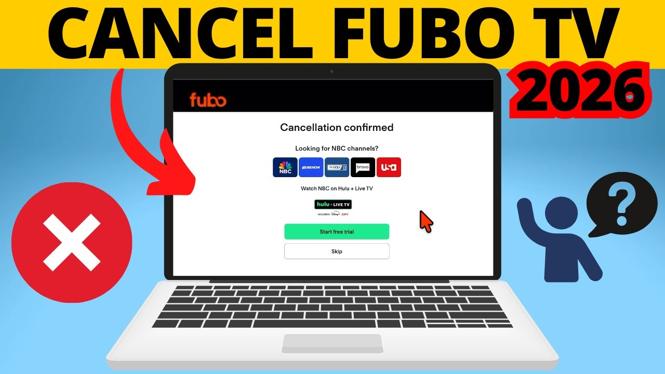
If you find yourself needing to cancel your FUBO TV subscription, you’re not alone. Many users seek to manage their subscriptions better by reducing costs or simply choosing to explore different streaming options. Whether financial circumstances have changed, you’re not using the service as much as you anticipated, or you want to switch to a different provider, canceling your FUBO membership can feel like a daunting task. Fortunately, this tutorial will guide you through the process quickly and easily in 2026, ensuring you can stop unwanted charges before the next billing cycle.
Video Tutorial
Why You Might Be Looking for This Tutorial
There are several reasons you may want to cancel your FUBO TV subscription:
- Cost Management: Streaming subscriptions add up, and it’s essential to keep your budget in check.
- Usage Concerns: If you find that you’re not watching FUBO TV as much as you thought, it might be time to consider alternatives.
- Transitioning to Different Services: As new streaming platforms emerge, you might want to explore options that better suit your current viewing habits.
- Avoiding Unwanted Charges: By canceling before the next billing cycle, you ensure you won’t incur additional charges.
Steps to Cancel Your FUBO TV Subscription
Here are the steps to cancel your FUBO TV subscription across various devices:
1. Canceling Through the Website
- Visit the official FUBO TV website and log into your account.
- Go to your account settings.
- Select the “Subscription” option.
- Click on “Cancel Subscription” and follow the prompts to confirm your cancellation.
2. Canceling on iPhone
- Open the Settings app on your iPhone.
- Tap on your Apple ID at the top.
- Select “Subscriptions.”
- Locate FUBO TV from the list and tap on it.
- Tap “Cancel Subscription” and confirm your choice.
3. Canceling on Android
- Open the Google Play Store app.
- Tap on the menu icon and select “Subscriptions.”
- Find FUBO TV in the list and select it.
- Tap “Cancel Subscription” and follow the steps to complete the process.
4. Canceling on Roku
- Press the Home button on your Roku remote.
- Scroll to the FUBO TV channel.
- Press the “*” button to access the channel options.
- Select “Manage Subscription.”
- Follow the prompts to cancel your subscription.
5. Canceling on Apple TV
- Open the Settings app on your Apple TV.
- Select “Users and Accounts.”
- Select your account and choose “Subscriptions.”
- Find FUBO TV and tap it.
- Select “Cancel Subscription” and confirm your cancellation.
By following these simple steps, you can successfully cancel your FUBO TV subscription on any device without the need to call customer support. Make sure to cancel before your next billing cycle to avoid additional charges. Take control of your subscriptions and enjoy more flexibility in your viewing options!
More Cancel Subscriptions Tutorials:
 Subscribe Now! 🙂

Discover more from Gauging Gadgets
Subscribe to get the latest posts sent to your email.