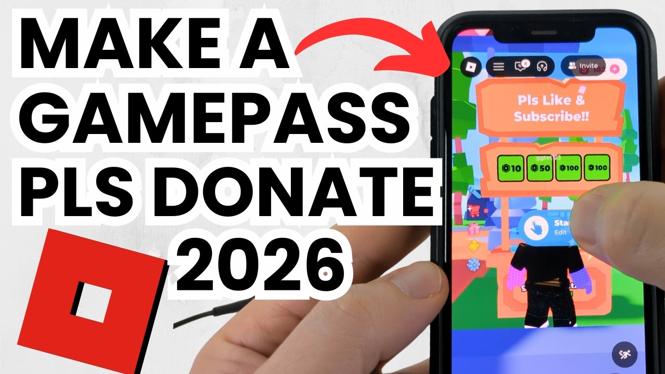
How to Make a GAMEPASS in PLS DONATE on MOBILE
Welcome to our comprehensive guide on creating a Gamepass in PLS DONATE on mobile devices. Whether you are an avid Roblox player or just starting out, generating income through your Gamepass is an exciting feature. This tutorial will specifically detail the steps required to create and set up a Gamepass for both iPhone and Android users, making it easier than ever to earn Robux directly from your phone. Follow along as we break down the steps and get you started on your journey to making Robux!
Video Tutorial
Why You Might Be Looking for This Tutorial
With the growing popularity of PLS DONATE, many players are eager to find ways to monetize their creativity and time spent in Roblox. Creating a Gamepass allows you to offer unique in-game perks to supporters and players, and it can serve as an essential tool for expressing your creativity and possibly driving donations. However, navigating the mobile interface can be tricky, and it is essential to follow the correct steps to ensure everything runs smoothly. By following this tutorial, you will be able to set up your Gamepass effortlessly and start attracting potential donors almost immediately.
Steps to Create a Gamepass in PLS DONATE on Mobile
- Access Roblox on Your Mobile Device: Start by launching the Roblox app on your iPhone or Android device. Make sure you are logged into the account you wish to use for creating your Gamepass.
- Navigate to PLS DONATE: Use the search feature to find the PLS DONATE game. Once located, click to enter the game.
- Access the Gamepass Creation Menu: Look for the option to create a Gamepass within the game interface. This is typically found in the settings or menu section equivalent to PC interface options.
- Create Your Gamepass: You will be prompted to enter details about your Gamepass. This includes naming it, setting a price, and uploading an image that represents your Gamepass. Be creative!
- Configure Your Donation Stand: After creating your Gamepass, you will need to set up your donation stand. This is where players can learn about your Gamepass and make donations. Position it strategically to attract attention.
- Test Your Gamepass: Once everything is set up, conduct a test by asking a friend or using an alternate account to see if your Gamepass is working correctly and is visible in your donation stand.
- Start Earning Robux: Promote your Gamepass within the game and engage with potential donors. Make sure to interact positively with the community to increase your chances of receiving donations.
Creating a Gamepass in PLS DONATE on mobile is a fantastic way to earn Robux while connecting with friends and other players. With this step-by-step guide, you can confidently create and promote your Gamepass, helping you to gain support within the Roblox community. Dive into the game now and start your journey towards earning Robux with your unique Gamepass!
More Roblox Tips & Tutorials:
 Subscribe Now! 🙂

Discover more from Gauging Gadgets
Subscribe to get the latest posts sent to your email.