How to Hide Liked Videos on TikTok: A Step-by-Step Guide
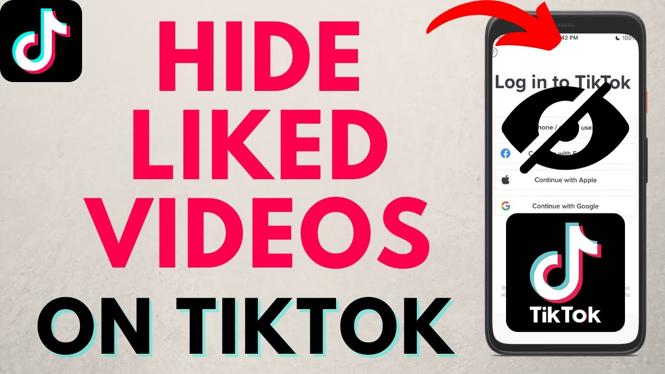
In today’s digital age, privacy is a significant concern for many social media users. TikTok, a popular platform for sharing short videos, allows users to engage with content by liking their favorite posts. However, you may not want everyone to view your liked videos. If you’re looking to keep your liked videos private, you’ve come to the right place. This blog post will guide you through the steps to hide your liked videos on TikTok, ensuring that your preferences remain confidential.
Video Tutorial
Why You Might Want to Hide Your Liked Videos on TikTok
There are several reasons why you might want to hide your liked videos on TikTok. Perhaps you prefer to keep your content preferences private, or maybe you’re worried about others judging your tastes. Additionally, you may wish to maintain a separation between your online presence and personal interests. Whatever the reason, knowing how to make your liked videos private can add an extra layer of control over your TikTok experience.
Step-by-Step Guide to Hiding Liked Videos on TikTok
Step 1: Open the TikTok App
Make sure you have the TikTok app installed on your device. Open the app to begin the process.
Step 2: Access Your Profile
Tap on the “Profile” icon located at the bottom right corner of the screen. This will take you to your TikTok profile where all your videos and likes are displayed.
Step 3: Go to Settings
In your profile, tap the three dots (or three lines) in the top right corner to access the settings menu.
Step 4: Privacy Settings
In the settings menu, look for “Privacy” and tap on it. This section contains various options regarding your account’s privacy settings.
Step 5: Manage Liked Videos
Within the privacy settings, you will find an option labeled “Liked videos.” Tap on this option. It will allow you to choose who can view your liked videos.
Step 6: Select Your Preferred Privacy Option
You will likely be given options such as “Everyone,” “Friends,” or “Only Me.” Select “Only Me” if you want to ensure that no one else can see your liked videos.
Step 7: Save Your Changes
Once you’ve made your selection, ensure that you save any changes if prompted. Your liked videos will now be hidden from others.
Conclusion
Hiding your liked videos on TikTok is straightforward and essential for maintaining your privacy on the platform. By following these simple steps, you can enjoy using TikTok without worrying about who can see your preferences. Whether you’re sharing fun videos or exploring new content, knowing how to adjust your privacy settings can enhance your experience significantly.
More TikTok Tips & Tutorials:
 Subscribe Now! 🙂

Discover more from Gauging Gadgets
Subscribe to get the latest posts sent to your email.