How to Turn ON Ringer on iPhone
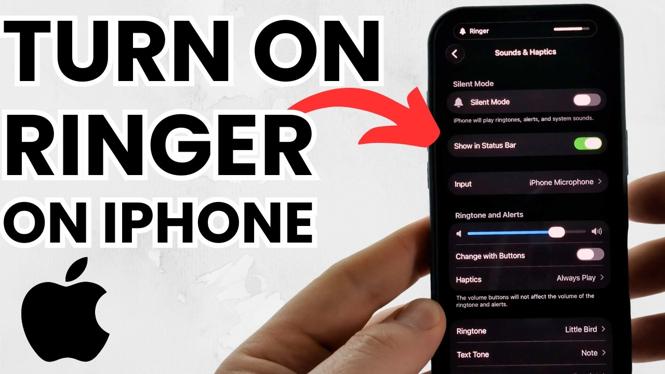
In today’s fast-paced world, staying connected is crucial. Your iPhone’s ringer is an essential feature that ensures you never miss important calls or notifications. If you’ve accidentally turned off your ringer or you’re not sure how to adjust your ring volume, this tutorial is for you. We’ll guide you through the simple steps needed to turn your iPhone ringer back on, ensuring that you stay connected with ease.
Video Tutorial
Why You Might Be Looking for This Tutorial
Many users find themselves in a situation where they miss crucial calls or alerts due to their iPhone ringer being inadvertently turned off. Whether it’s because they were in a meeting, on a flight, or handling the device earlier, it can be frustrating to miss out on important communications. This tutorial will help you regain control over your ringer settings, allowing you to:
- Quickly switch your ringer back on
- Adjust your ring volume to your preferred level
- Ensure you never miss an important notification again
- Understand the various settings affecting your ringer
Steps to Turn ON Ringer on iPhone
- Check the Ring/Silent Switch: The first step in turning on your iPhone ringer is to look at the physical Ring/Silent switch on the side of your device. If the switch is showing orange, it means your iPhone is in silent mode. Flip the switch towards the screen to turn on the ringer.
- Adjust the Ringer Volume: Once the switch is set to ringer, you may need to adjust the ringer volume. Go to Settings, then Sounds & Haptics. Here, you can drag the Ringer and Alerts slider to increase the volume.
- Check Do Not Disturb Settings: If you are still not receiving notifications, check if Do Not Disturb is enabled. Go to Settings and tap on Focus. Make sure that Do Not Disturb is turned off to ensure you receive all calls and notifications.
- Test Your Ringer: After completing all the adjustments, perform a test. Ask someone to call you or play a notification sound to ensure your settings are working correctly.
By following these simple steps, you can ensure that your iPhone ringer is on and properly adjusted, keeping you connected at all times. Don’t let missed calls and notifications become a problem; take control of your device today!
More iPhone Tutorials:
 Subscribe Now! 🙂

Discover more from Gauging Gadgets
Subscribe to get the latest posts sent to your email.