How to Hide Active Now Activity Status on Instagram
Instagram has become an integral part of our lives, allowing us to connect with friends and share moments. However, the app’s activity status feature can sometimes feel intrusive. If you’re looking to enjoy Instagram in a more private manner, you might want to hide your “Active Now” status from others. In this guide, we will walk you through the steps to turn off this feature, ensuring that your online presence remains discreet.
Video Tutorial
Why You Might Want to Hide Your Active Status
There are various reasons why someone might wish to hide their active status on Instagram. Perhaps you want to browse the app without feeling the pressure of immediate responses. Maybe you prefer to engage with content on your own schedule without letting others know when you’re online. By hiding your “Active Now” status, you can enjoy your Instagram experience more freely. Whether you’re a casual user or someone managing multiple accounts, maintaining privacy can enhance your overall experience.
Steps to Hide Your Active Now Status on Instagram
For iPhone and Android Users
- Open the Instagram app on your device.
- Go to your profile by tapping on your profile picture at the bottom right corner.
- Tap on the three horizontal lines (menu icon) in the top right corner to access the settings.
- Select Settings from the menu.
- Scroll down and tap on Privacy.
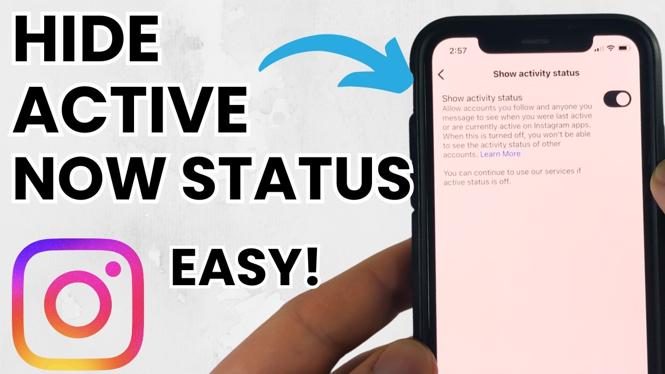
- Under the “Interactions” section, find and tap on Activity Status.
- Toggle off the switch next to Show Activity Status.
What Happens Next?
Once you have completed these steps, your active status will be hidden from other users. Remember that by turning off your activity status, you also won’t be able to see the activity status of other users. This mutual setting encourages a more private browsing experience.
Conclusion
In conclusion, hiding your “Active Now” status on Instagram is a simple and effective way to enhance your privacy while using the app. Whether for personal comfort or a desire to keep your online activity discreet, following the steps outlined above will help you achieve a more controlled Instagram experience. Take back your privacy today!
More Instagram Tutorials:
 Subscribe Now! 🙂

Discover more from Gauging Gadgets
Subscribe to get the latest posts sent to your email.