How to Factory Reset AirPods Pro 3
If you’re experiencing difficulties with your AirPods Pro 3 or if you’re looking to sell them, performing a factory reset is an essential step. This process not only resolves performance issues but also disconnects the earbuds from your Apple ID, making them ready for a new user. In this tutorial, we’ll guide you through the steps to ensure your AirPods Pro 3 are reset to their original factory settings.
Video Tutorial
Why You Might Be Looking for This Tutorial
Many users may find themselves in need of resetting their AirPods Pro 3 due to various reasons. Perhaps you are facing connectivity issues, audio quality concerns, or battery life problems. Alternatively, if you’re planning to sell your AirPods or hand them over to someone else, it’s crucial to ensure that they are properly reset, so the new owner can pair them with their devices seamlessly. This tutorial will help you navigate the reset process without any hassle.
Steps to Factory Reset AirPods Pro 3
- Place Your AirPods in Their Case: Ensure that your AirPods Pro 3 are inside their charging case and keep the lid open.
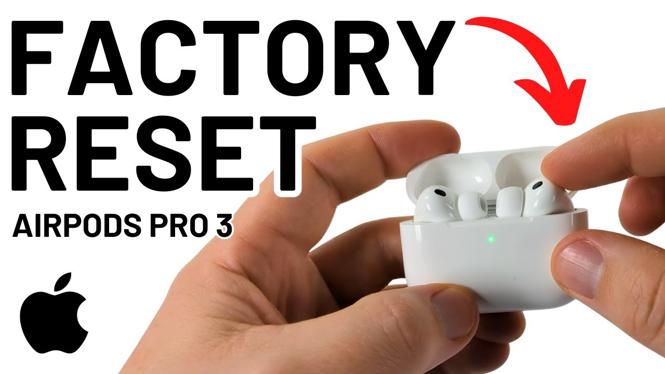
- Press and Hold the Button: Locate the setup button on the back of the case. Press and hold the button for about 15 seconds until the LED indicator on the front of the case flashes amber and then white.
- Disconnect from Your Devices: On your iPhone, iPad, or any connected device, go to Bluetooth settings and select the option to forget the AirPods Pro 3.
- Close the Lid: Once the LED light has flashed white, close the lid of the charging case. Your AirPods are now reset and can be paired with a new device.
Conclusion
Resetting your AirPods Pro 3 is a straightforward process that can resolve issues and prepare them for new ownership. By following the steps outlined in this tutorial, you can ensure that your earbuds are returned to their original settings and function properly. If you have any further questions or encounter difficulties, feel free to check the video tutorial or consult Apple’s support resources for assistance.
More AirPods Tips & Tutorials:
 Subscribe Now! 🙂

Discover more from Gauging Gadgets
Subscribe to get the latest posts sent to your email.