How to Delete Watch History on Instagram
In the age of social media, privacy has become a significant concern for many users. Instagram, being one of the most popular platforms, allows users to explore content through the watch history feature. However, there may be times when you want to clear this history for various reasons, such as enhancing your privacy or simply wanting to reset your content recommendations. In this blog post, we will guide you through the steps to delete your watch history on Instagram, ensuring you have a more tailored experience on the app.
Video Tutorial
Why You Might Be Looking for This Tutorial
There are several reasons you might want to delete your watch history on Instagram:
- Privacy Concerns: If you are concerned about your watched content being visible to others, clearing your history can help maintain your privacy.
- Content Recommendations: Instagram’s algorithm uses your viewing habits to suggest new content. If you want to refresh these recommendations, deleting your history is a great way to start anew.
- Manage Reels Watch History: If you find that you’re seeing videos that don’t interest you, deleting your Reels watch history allows you to curate your preferences better.
- Accidental Views: Sometimes you may not want certain videos to influence your future recommendations, and this guide will help you remove them.
Steps to Delete Your Watch History on Instagram
- Open the Instagram App: Launch the app on your device and log into your account if you haven’t done so already.
- Go to Your Profile: Tap on your profile icon located at the bottom right corner of the screen.
- Access Settings: Click on the three horizontal lines (menu) in the top right corner and select ‘Settings’ from the dropdown menu.
- Privacy Options: Under the ‘Settings’ menu, tap on ‘Privacy’ to open the privacy settings.
- Clear Search History: Scroll down to find the ‘Clear Search History’ option. Tap on it and confirm the action to clear your search history.
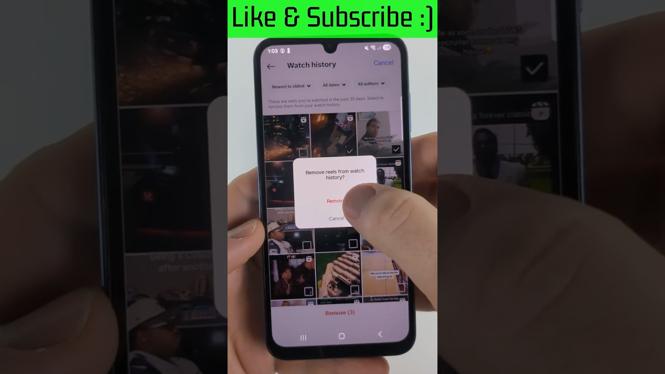
- Manage Reels Watch History: For Reels, go back to ‘Settings,’ then navigate to ‘Reels’ and select ‘Manage Reels History.’ From here, you’ll find the option to clear your watch history.
- Reset Recommendations: To reset your content recommendations, go to ‘Settings,’ find ‘Ads,’ and select ‘Ad Activity.’ Clear the activity log to refresh how Instagram analyzes your preferences.
Following these steps, you can effectively manage and delete your watch history on Instagram. By taking control of your viewing habits, you ensure a personalized and enjoyable social media experience tailored to your current interests. If you have any questions or need further assistance, feel free to leave a comment below!
More Instagram Tips & Tutorials:
 Subscribe Now! 🙂

Discover more from Gauging Gadgets
Subscribe to get the latest posts sent to your email.