How to Deactivate X Account
Deactivating your X account is a straightforward process that can be completed in just a few minutes. Whether you’re looking to take a break from social media, protect your privacy, or simply reduce your online presence, knowing how to deactivate your account is essential. This tutorial will guide you through the necessary steps to deactivate your X account and explain what to expect when you do so, especially with changes expected in 2026.
Video Tutorial
Why You Might Be Looking for This Tutorial
There could be various reasons why you’re considering deactivating your X account. You might be feeling overwhelmed by the noise of social media and want some time away. Alternatively, you could be concerned about privacy and want to limit your digital footprint. Additionally, with anticipated changes to X in 2026, this might be the perfect moment to step back and assess your engagement with the platform. Regardless of your motivation, this tutorial aims to provide you with all the information you need to deactivate your account effectively.
Step-by-Step Guide to Deactivate Your X Account
Step 1: Log Into Your X Account
Navigate to the X website or open the app on your mobile device. Enter your credentials to log into your account.
Step 2: Access Account Settings
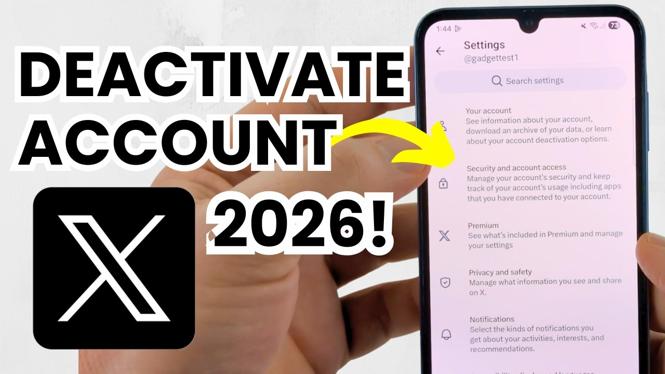
Once you are logged in, click on your profile icon or the menu button in the upper corner. Look for the ‘Settings and Privacy’ option and click on it.
Step 3: Find the Account Deactivation Option
In the settings menu, select ‘Your Account.’ Here, you will find the option for ‘Deactivate Your Account.’ Click on this option to proceed.
Step 4: Read the Information Provided
It’s essential to read through the information provided about deactivation. This section typically explains what will happen to your data and how long it will take for your account to be fully deactivated.
Step 5: Confirm Deactivation
If you are sure you want to proceed, confirm your decision by clicking on the ‘Deactivate’ button. You may be prompted to enter your password again to verify your identity.
Step 6: Account Successfully Deactivated
Once confirmed, your account will be deactivated. Your profile will not be visible to others, but remember, you can reactivate it later by simply logging back in, if you change your mind.
What Happens When You Deactivate Your X Account in 2026
As of 2026, specific changes to X’s policies may take effect, impacting how deactivation works. It’s important to stay updated regarding these changes, as they may affect your data and privacy. Generally, deactivating your account means that your information remains on their servers for a period of time, should you choose to return. Always check the latest policies on data retention and account reactivation before proceeding with deactivation.
In summary, deactivating your X account is a temporary measure that allows you to take a break from the platform while retaining the ability to return whenever you choose. Following this guide will ensure the process goes smoothly and that you understand the implications of your decision.
More X Tutorials:
 Subscribe Now! 🙂

Discover more from Gauging Gadgets
Subscribe to get the latest posts sent to your email.