How to Check if Instagram Has Been Hacked
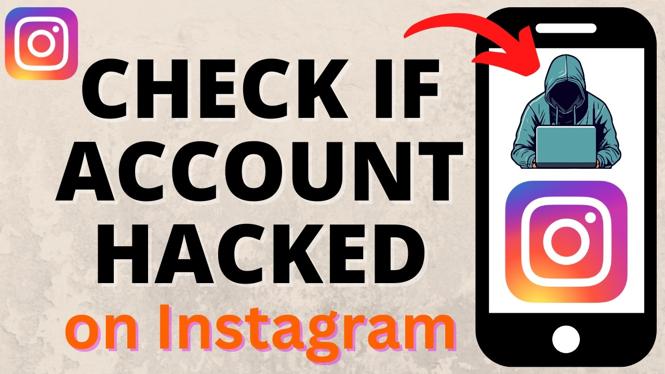
If you suspect that your Instagram account has been compromised, it’s crucial to take swift action to protect your personal information and online presence. Social media accounts, especially popular platforms like Instagram, are frequent targets for hackers. This guide will walk you through the signs of a hacked account and provide you with clear steps to verify any unauthorized access.
Video Tutorial
For a visual guide on how to check if your Instagram account has been hacked, please watch the video below:
Why You Might Be Looking for This Tutorial
Understanding how to determine if your Instagram has been hacked is essential in today’s digital age. You may be looking for this tutorial because:
- You noticed unrecognized posts or messages appearing in your account.
- You received notifications about changes to your profile that you did not initiate.
- Friends or followers inform you that they received odd messages from your account.
- You’ve experienced difficulty accessing your account or found you’ve been logged out unexpectedly.
Steps to Check if Your Instagram Account Has Been Hacked
Here’s a step-by-step approach to help you investigate potential hacking of your Instagram account:
- Check Your Login Activity: Go to your Instagram settings, select ‘Security,’ then ‘Login Activity.’ Look for any unfamiliar locations or devices that appear in your activity history. If you see something suspicious, it’s a sign of a possible breach.
- Review Account Changes: Examine your profile for any changes that you did not make, such as changes to your bio, profile picture, or linked email and phone number. These alterations can indicate that someone else has accessed your account.
- Look for Unrecognized Devices: If you’ve formerly saved device logins, check to see if they’ve changed. Go to settings, and log out of all devices that seem unfamiliar. This can help prevent further unauthorized access.
- Check Your Sent Messages: Go through your direct messages for conversations or messages you do not recall sending. If you find any, there’s a chance your account is compromised.
- Examine Security Notifications: Look for alerts from Instagram sent to your email or phone regarding unusual logins or changes to your account. If you receive any alerts about suspicious activity, take action immediately.
- Enable Two-Factor Authentication: Even if your account seems secure, enabling two-factor authentication adds an extra layer of protection, making it more difficult for hackers to gain access in the future.
Final Thoughts
By following these steps, you can assess the security of your Instagram account and take necessary action if you’ve been hacked. Remember, prompt responses to any suspicious activity are vital in protecting your online identity.
More Instagram Tips & Tutorials:
 Subscribe Now! 🙂

Discover more from Gauging Gadgets
Subscribe to get the latest posts sent to your email.