How to Check if Your Amazon Account Has Been Hacked
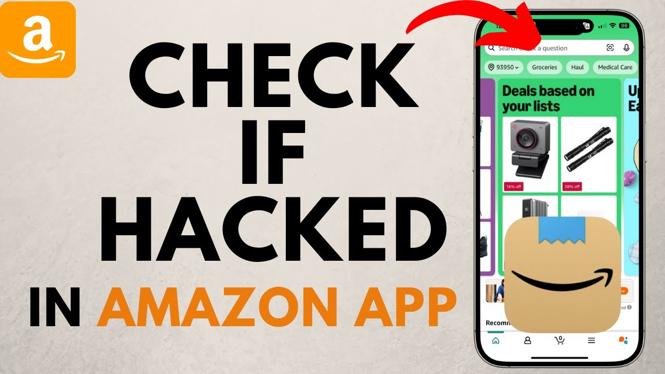
In today’s digital age, protecting your online accounts is more crucial than ever. Amazon, being one of the largest online retailers, is a prime target for hackers. If you’re concerned about the security of your Amazon account, knowing how to check for unauthorized access is essential. In this blog post, we’ll walk you through the necessary steps to determine if your account has been compromised and what actions to take if you suspect foul play.
Video Tutorial
Why You Might Be Looking for This Tutorial
There are several reasons why you might be searching for ways to check if your Amazon account has been hacked. Perhaps you’ve noticed unusual activity, such as unexpected orders or unfamiliar login locations. Alternatively, you might have received suspicious emails claiming to be from Amazon, prompting you to investigate the security of your account. Understanding the steps to check for breaches is vital in safeguarding your personal information and financial details.
Steps to Check If Your Amazon Account Has Been Hacked
1. Review Your Recent Orders
Log into your Amazon account and navigate to the “Your Orders” section. Check for any purchases you do not recognize. If you find any unfamiliar transactions, it may indicate unauthorized access.
2. Check Your Login Activity
Amazon allows you to view your recent login activity. Visit the “Account & Lists” dropdown menu, then select “Your Account.” Look for the “Login & security” section to find details about your recent sign-ins and devices used. If you see any devices or locations you do not recognize, take immediate action.
3. Inspect Your Account Settings
Review your account settings, particularly your email address and payment methods. Ensure there are no changes or additions that you did not make. If you notice unfamiliar changes, it’s possible that someone else has accessed your account.
4. Set Up Security Alerts
Amazon offers a feature that sends alerts for unusual activities. Enable security alerts in your account settings to receive notifications of suspicious transactions or changes to your account information.
5. Change Your Password
If you suspect your account has been compromised, change your password immediately. Use a strong password that includes a mix of letters, numbers, and symbols. Additionally, consider enabling two-factor authentication for added security.
6. Contact Amazon Support
If you find any evidence of hacking or if unauthorized activity has occurred, contact Amazon Support as soon as possible. They can help you secure your account and rectify any issues.
Conclusion
Being proactive about your Amazon account security can help you avoid potential threats. By following the steps outlined in this tutorial, you can quickly determine whether your account has been hacked and take necessary measures to protect your information. Regularly monitoring your account activity is a good practice to ensure your online safety.
More Amazon Tips & Tutorials:
 Subscribe Now! 🙂

Discover more from Gauging Gadgets
Subscribe to get the latest posts sent to your email.